They approve online, track online, and see your name.
Quote emails, quote pages, tracking pages and invoices carry your logo and your shop name. Customers approve or decline in one click, watch each part move through printing, book a pickup slot, download the HST invoice, and pay, without emailing you once.
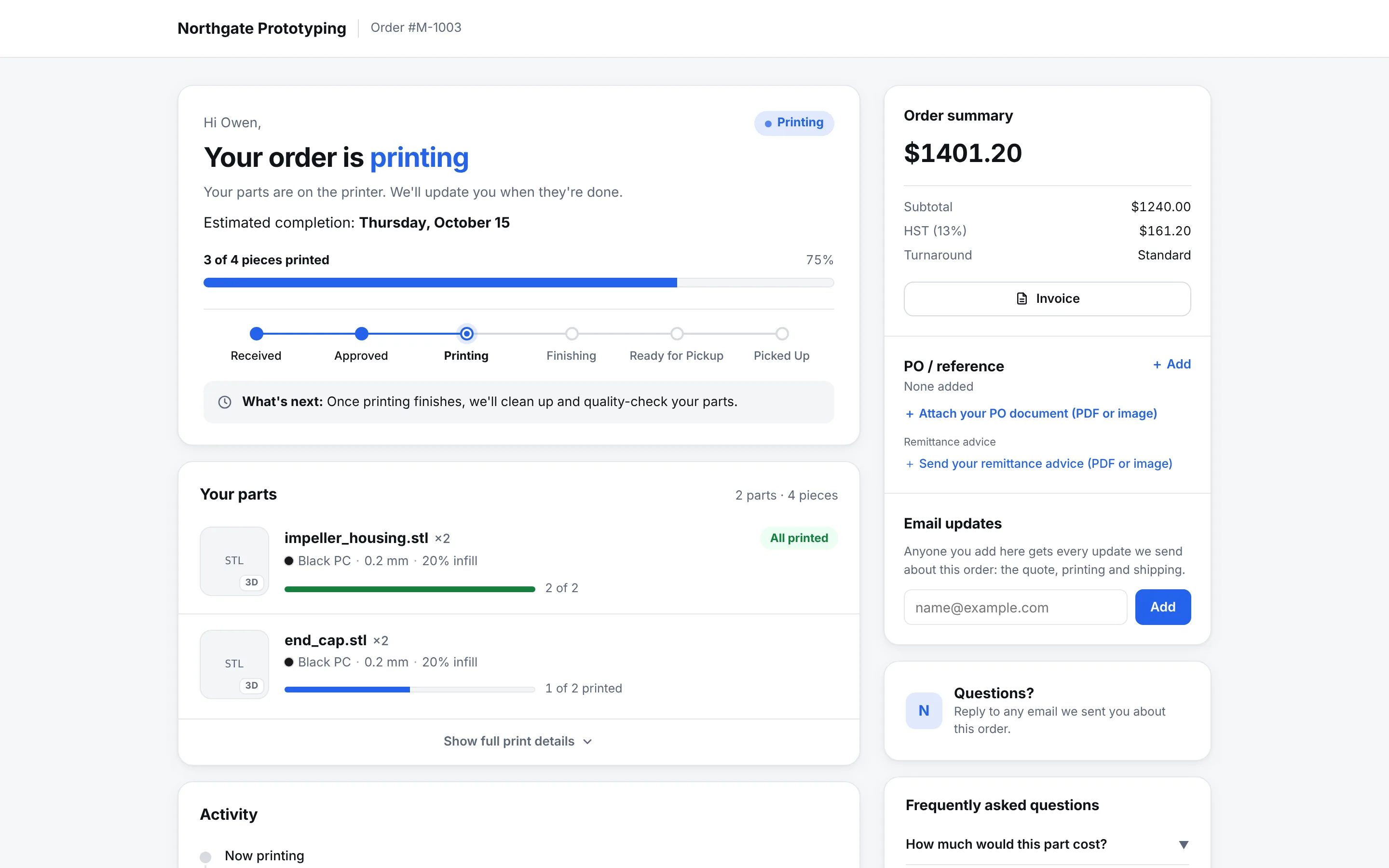
CloseThe tracking page for order M-1003 on a demo shop: the shop's logo and name in the header, Email Receipt, Receipt and HST Invoice buttons, a how-it-works strip, a six-step order status bar at Printing with the estimated completion date, and a part card showing process, material, colour, layer height, infill, size, tolerance and a 2 of 2 printed progress bar.
The customer's tracking page. The shop is a demo tenant; the branding is the point.
The quote
One email, one click, and the job is yours.
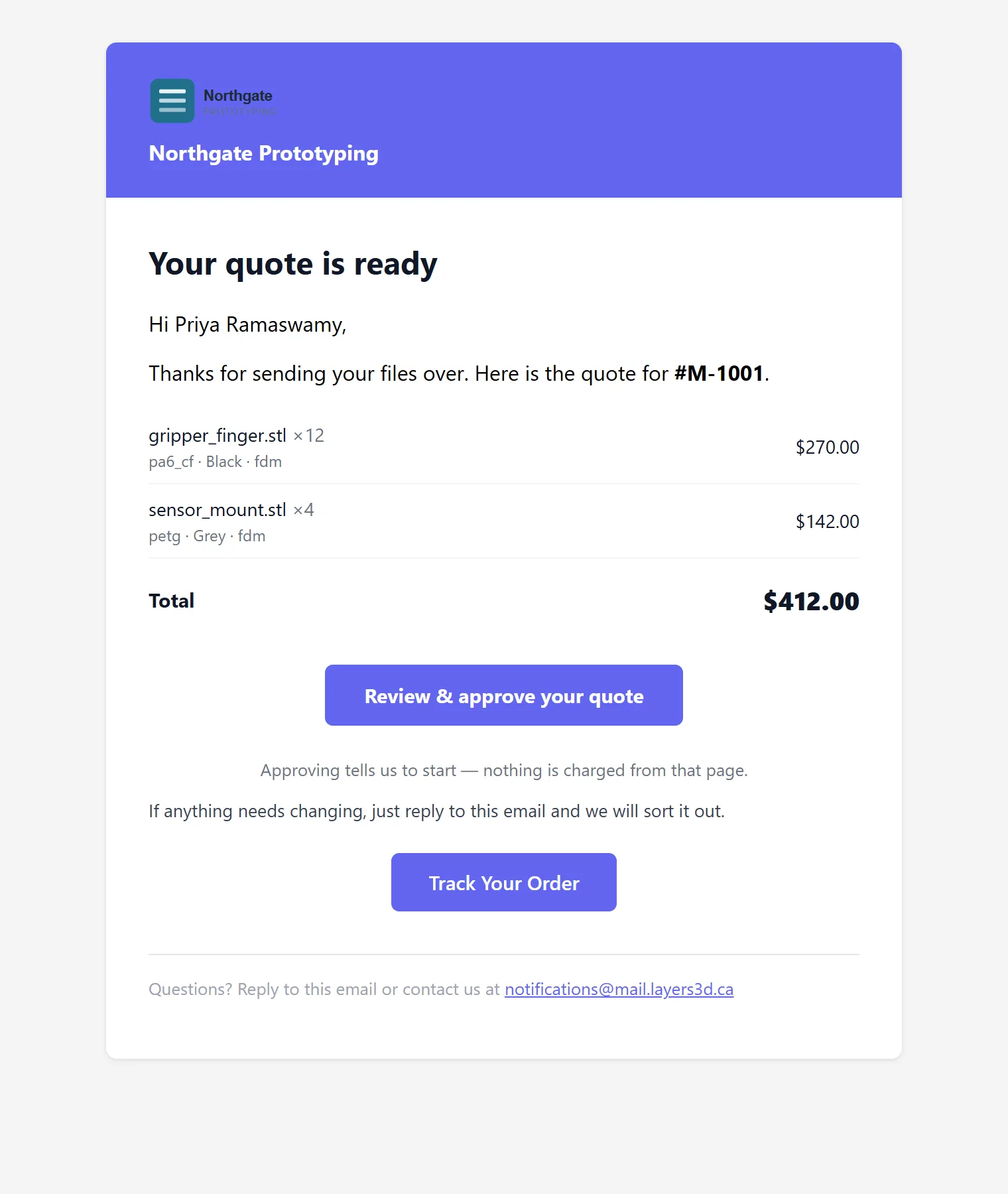
The quote email lists the parts, quantities and prices, with your logo at the top and your reply address at the bottom. The approve button opens a page on your domain where the customer confirms, chooses delivery, and pays by card or e-transfer if you ask them to. Approving tells you to start; nothing is charged from that page unless you say so.
Branded quote email with a Review & approve button and a tracking link
Quote links on your own domain, set up with you; the link survives the trip through corporate mail filters
Saved quotes with a Q-number and an expiry date; a locked quote page until the email is confirmed
Decline with a reason, and the customer gets a courteous letter you wrote once
CloseThe quote email: the shop's logo and name in a coloured header, 'Your quote is ready', two parts with quantities and prices, the total of $412.00, a Review and approve your quote button, and a Track Your Order button.
The tracking page
Fewer “any update?” emails. Same information, always current.
Received, approved, printing, finishing, ready, picked up or shipped: the stepper moves as your board does. Each part shows its own progress and any design-check notes. When the job is ready, the customer books a pickup slot from your business hours or sees the tracking number, and downloads the receipt or HST invoice themselves.
Per-part progress bars, from the same counts your floor enters
Pickup scheduling with your hours and holidays, or a shipping label and tracking number
Receipt and HST invoice, one click each
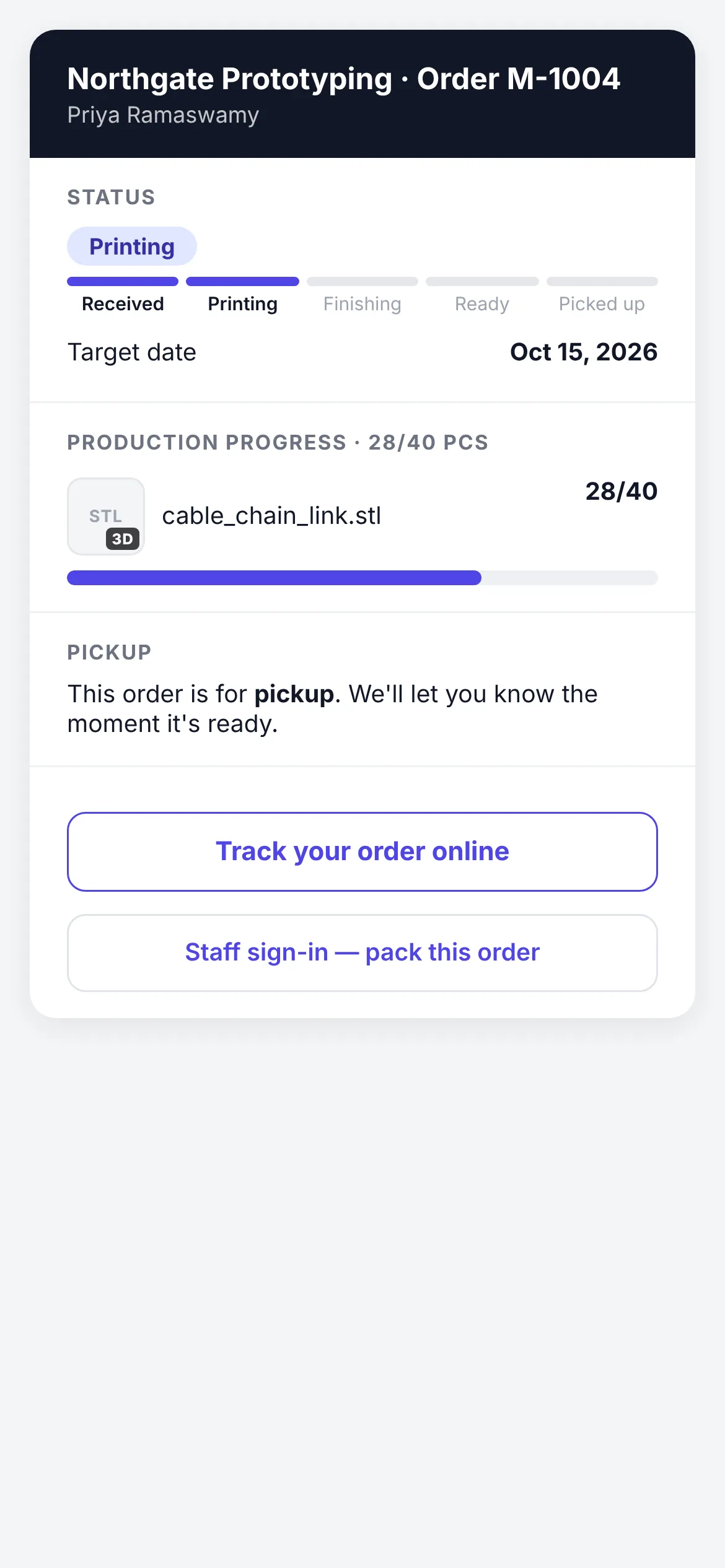
The part itself, in 3D: your customer turns the model you are printing, on the tracking page and again on the box page after they scan the carton. No plugin, no account, and it works on a phone — try it on the quoting page
A feedback request after delivery, sent once, to the right person
CloseThe public box page for the same order on a phone, with status, target date and part progress.
Follow-ups
Quiet quotes get a nudge. You approve every one.
A quote that has not been answered in a few days gets a draft follow-up. A request that arrived without a file gets a draft asking for it. Nothing sends until you tick it, and a global do-not-email list is honoured everywhere. The engine writes; you decide.
Approval-first
Drafts, not sends
Every automated message is a draft in your queue with the customer, the reason and the text. One tick sends it. Untouched drafts expire.
Windows
Business hours only
Marketing-style messages respect your shop's sending window. Transactional emails, a quote or a status change, always go out immediately.
Test mode
Practice without a customer seeing it
Email test mode routes every outbound message to your own inbox until you switch it off. New shops start with it on.
Send one quote through it.
Founding Shops get Professional at CA$119.20 a month for their first year. Test mode keeps every email in your own inbox until you are ready.