Features / Automatic emails

Move the card. The customer hears about it.

“Any update?” gets asked because the customer has no way to know. When a job moves on your board the email goes out by itself, with your logo and your domain on it — and nothing that asks a customer for anything ever sends without you ticking it first.

Every step

Move the card. The customer hears about it.

The single most common question a print shop gets is “any update?”, and the reason it gets asked is that the customer has no way to know. When a job moves on your board, the email goes out on its own — with your logo, your shop name and your address on it, from your own domain.

You are not writing these. You are not remembering to send them. You moved a card because the work moved, and that is the only action involved.

  • Approved, printing, ready, shipped and “there is a problem with your file” all send themselves
  • Every one carries a link to a tracking page that is always current, so the email never becomes the stale version
  • A hold tells them it is on hold, and why, instead of leaving a silence they have to break
  • Shipping includes the carrier's tracking number; ready-for-pickup offers your actual opening hours
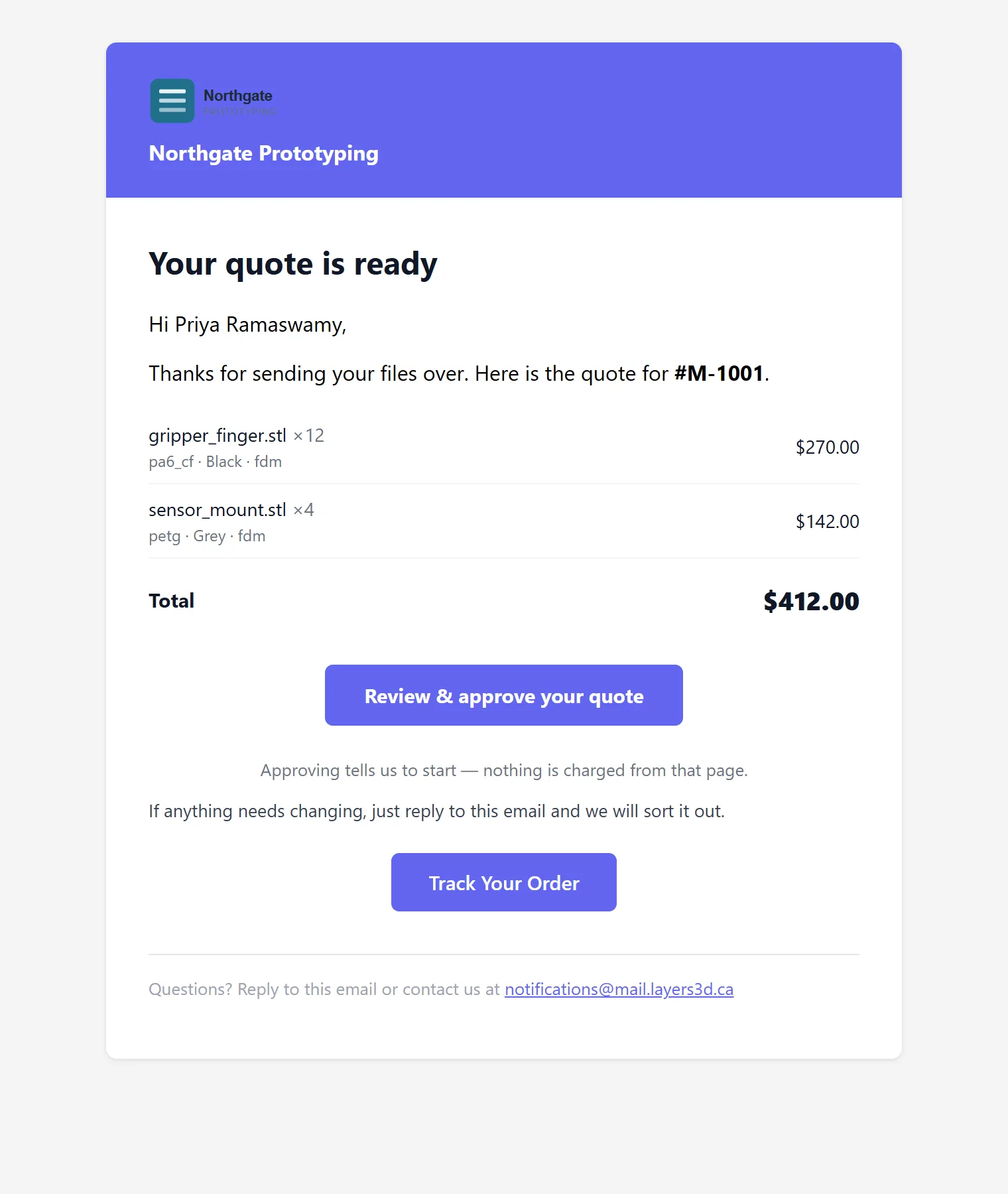
A quote email with the shop's logo and name in a coloured header, the parts listed with quantities, a review and approve button and a track your order button.

Nothing sends by accident

New shops start with every customer email switched off.

Automatic email is the one feature that can embarrass you in front of a customer while you are still learning the software. So it starts in test mode, and it stays there until you decide otherwise — one template at a time.

Test mode

To your inbox, not theirs

Every outbound customer message is redirected to you, labelled with who it would have gone to. On by default for a new shop.

One at a time

Approve the templates you trust

Thirty-five kinds of message, each with its own switch. Turn on order confirmations before you turn on anything that chases.

Sending window

Business hours, where it matters

A status change is transactional and goes immediately. Anything that reads as marketing waits for your shop's own sending window.

Your words

Rewrite any of them

Subject and body are yours to override per template, with the built-in version shown beside it so you can see what you are replacing.

Suppressions

Do not email this person

One flag on a customer stops every automated message to them, permanently, without deleting their history.

Recorded

Every send is on the order

What went out, when, to whom, and whether it was opened — on the job's own timeline, next to the status change that caused it.

The line we hold

Automatic for facts. Never automatic for asking.

A status change is a fact about the customer's own order, and telling them is simply courtesy — so it sends itself. Anything that asks for something is different: a nudge on a quiet quote, a chase for a file that never arrived, a re-engagement after a year of silence. Those are drafted for you, with the reason and the full text, and they sit in a queue until you tick them. An untouched draft expires rather than sending.

The distinction is deliberate. A shop that finds one unwanted sales email in a customer's inbox stops trusting the whole system, and then stops using the half that was genuinely helping.

How the follow-up drafts work →  ·  What the customer sees →

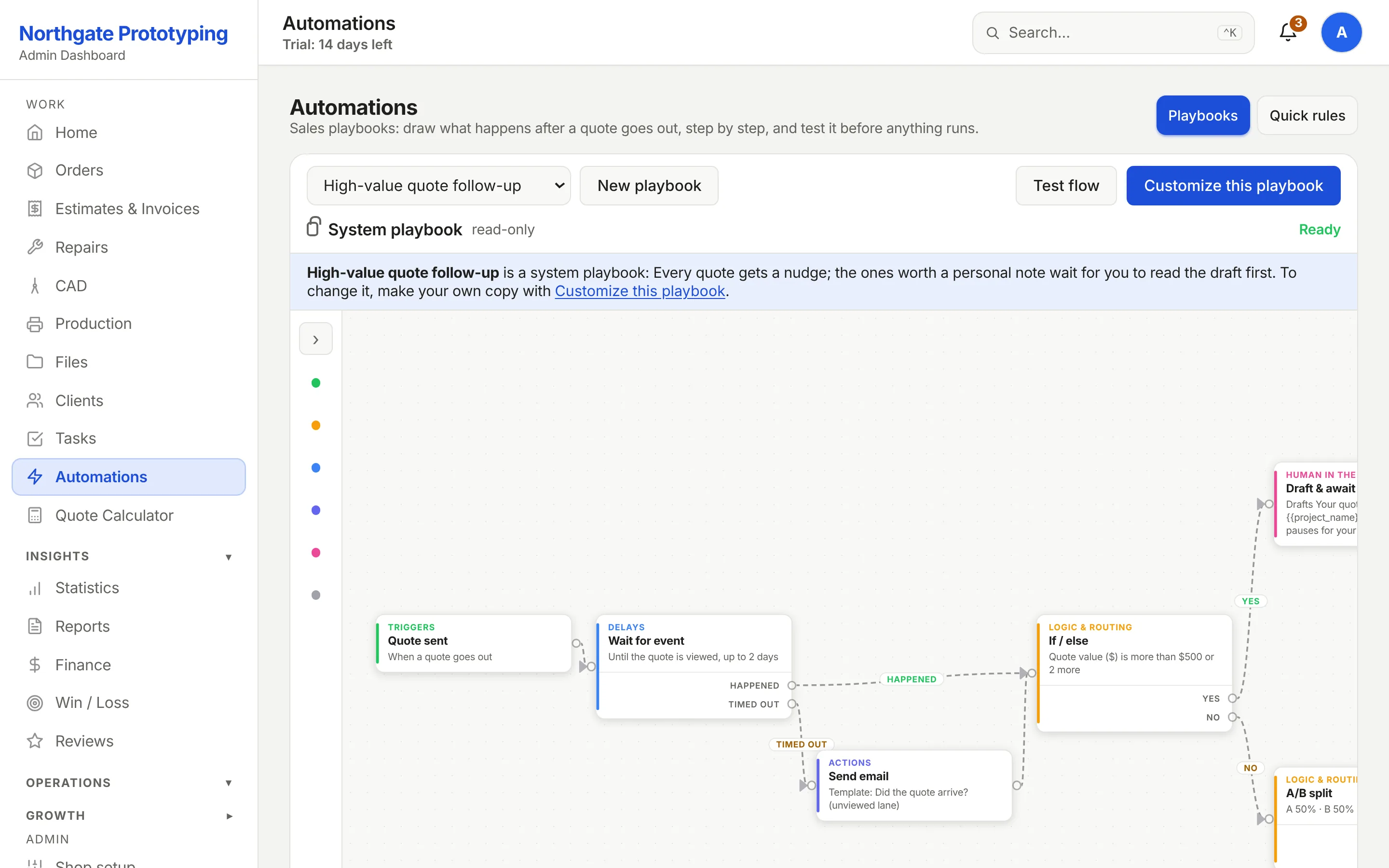
The email sequences screen listing multi-step sequences with their steps, timing and the condition that stops each one.

Send one real order through it.

Founding Shops get Professional at CA$119.20 a month for their first year. Test mode is on, so the first ones land in your inbox and you can read them before anyone else does.

Become a Founding Shop