An auto quoter that actually reads the part. A customer uploads a file on your site or emails it in. Layers3D measures the mesh, flags anything unprintable, prices it from your rates, and sends a branded quote they can approve online. When they say yes, the job is already on your board with the file attached.
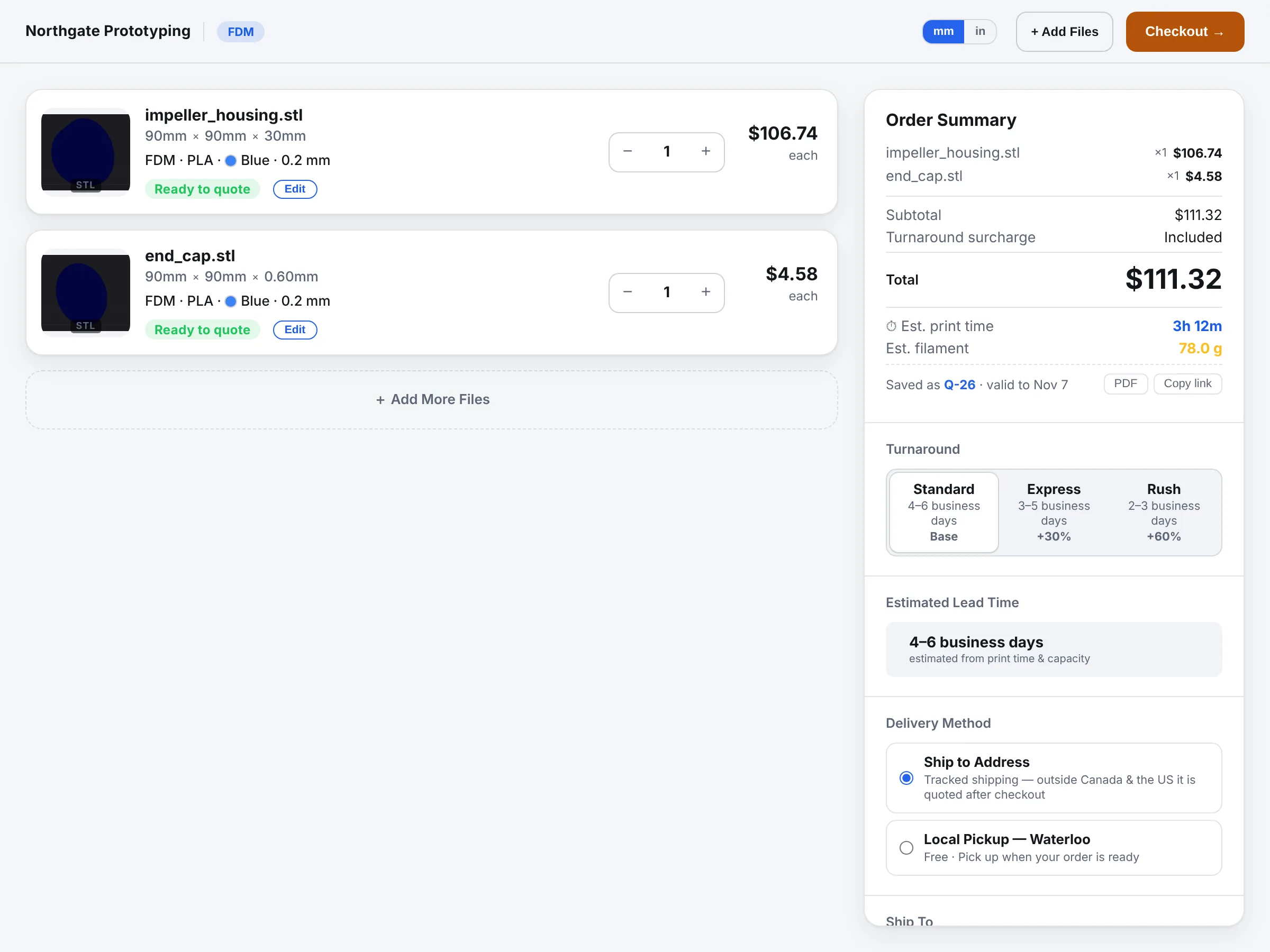
CloseThe customer quote page for two uploaded STL files: each part shows a 3D preview, its measured size in millimetres, process, material, layer height, infill, finish, colour and tolerance choices, and the order summary lists turnaround and delivery options.
The quote page a customer sees, on your domain, with your logo. Demo shop, demo parts.
Measured, not guessed
It reads the part, not the bounding box.
Volume, bounding box, overhangs, and the support material a part will actually need, measured across six orientations, because the file's “up” is rarely the print's “up”. A part that is 18 times smaller than another no longer gets an equal vote in the price, and an inch-scale export is flagged instead of quoted 16,000 times too cheap.
STL, STEP, 3MF and OBJ, including sliced 3MF with supports already placed
Support material estimated per orientation, so a flat tile does not quote as 406 hours
Units sanity check: implausibly small geometry is flagged, never silently rescaled
Quantity and size curves that follow how you really discount
Drag to turn it. Everything here — the measurements and the design checks — was computed in your browser from the file it just downloaded, by the same code that runs on your customer's quote page.
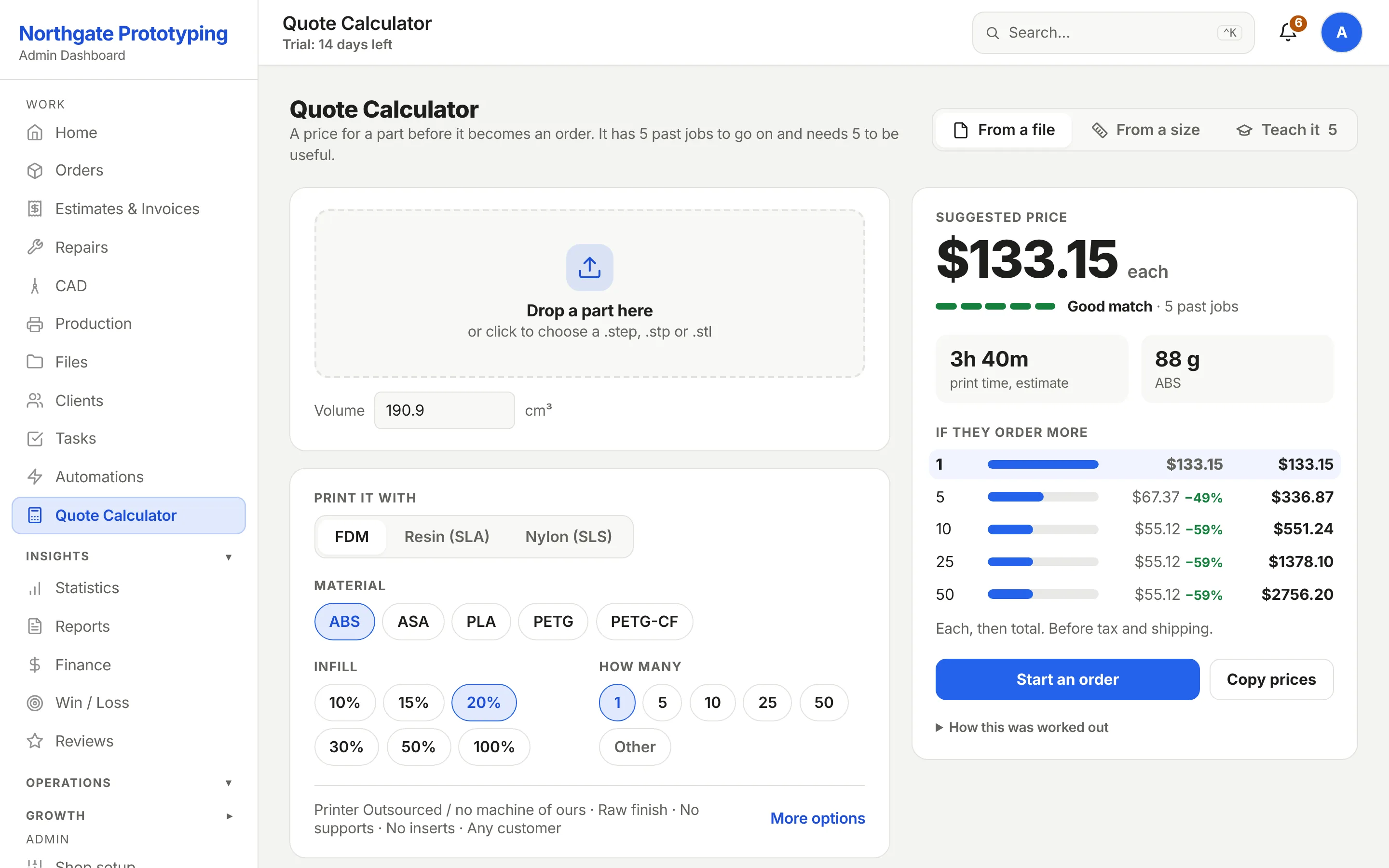
CloseThe internal quote calculator: technology, printer, material, volume, infill, finish, quantity tiers, and the estimated material weight and print time.
Design checks first
Know what will not print before you promise a date.
Thin walls, non-manifold meshes, parts that will not fit the bed, features below the process's resolution. Each check is written in the customer's language on the quote page and in yours on the order, and the same rules run in both places, so the two never disagree.
Thin-wall detection per process, with the minimum shown to the customer
Bed-fit check against the printers you actually run
Required “what is this part for” before pricing, so material advice is grounded
An AI material advisor that suggests a material from the use case and your stock
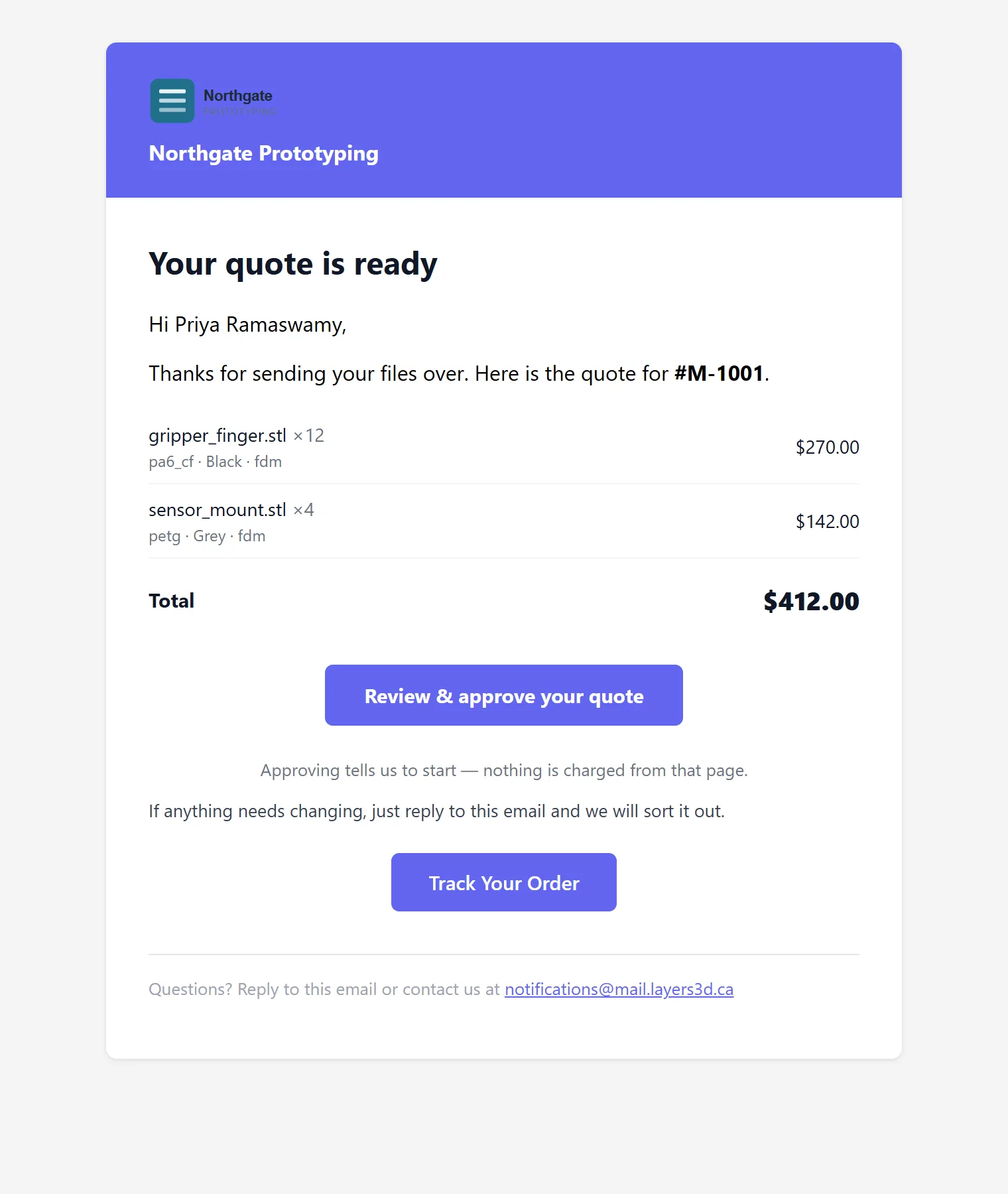
CloseThe quote email a customer receives: the shop's logo and name in the header, the parts with quantities and prices, the total, a Review and approve your quote button and a Track Your Order button.
Learns from your shop
Calibrated on the jobs you actually completed.
Every finished order becomes a training sample: the part, the settings, the price you charged, the outcome. The engine refits its curves and tells you how far its own quotes were from your real ones. At the shop it was built in, that error fell from 46% to 15%.
Neutral start
Your rates, not a template
Every new shop starts on neutral defaults: hourly rate, material costs, machines, turnaround multipliers, discount ladder. Never on another shop's rate card.
Off until you say
Customers see prices when you are ready
Instant customer pricing stays off while you quote the first jobs by hand. Requests arrive as quotes for you to price; the engine watches and learns.
Guards
A spec edit never moves money on its own
Changing a colour or a filename on an invoiced order cannot reprice it. Large swings are held for a human. The total is checked against its parts before a quote is sent.
Intake
Nothing falls through.
Quote requests arrive from the widget on your website, from your inbox, or from a Shopify storefront, and land in one queue with the attachments already measured. A request with no file gets a polite chase, drafted for you to approve, because most requests arrive without one.
Website widget: one script tag, your branding, your domain
Email-in from Outlook or Gmail with attachments pulled straight into the quote
Saved quotes with Q-numbers and expiry; abandoned ones become leads
Follow-ups on quiet quotes, approval-first: nothing sends until you tick it
Try it on a part you already quoted.
Founding Shops get Professional at CA$119.20 a month for their first year. Compare its number with yours.