Step 1 of 9
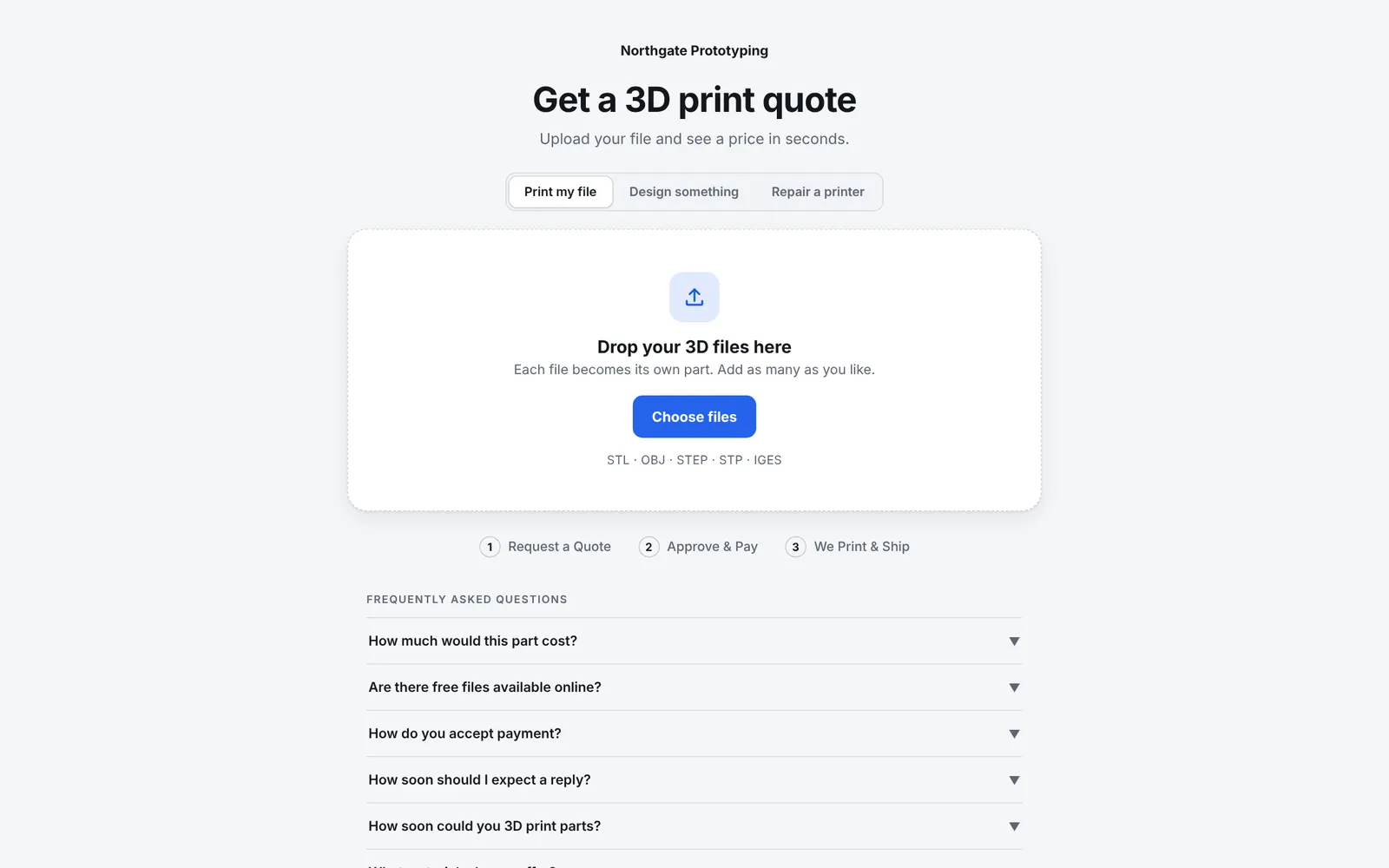
CustomerDrops files on your quote page
Maya from Riverbend Robotics opens the quote page on your website and drops in two STL files. STEP and OBJ work too.
Walkthrough
Follow a single order through Layers3D: the customer gets a price on your website, you approve it, and the printers take it from there. Every picture is the real software, in a demo shop called Northgate Prototyping.
Step 1 of 9
CustomerMaya from Riverbend Robotics opens the quote page on your website and drops in two STL files. STEP and OBJ work too.
Step 2 of 9
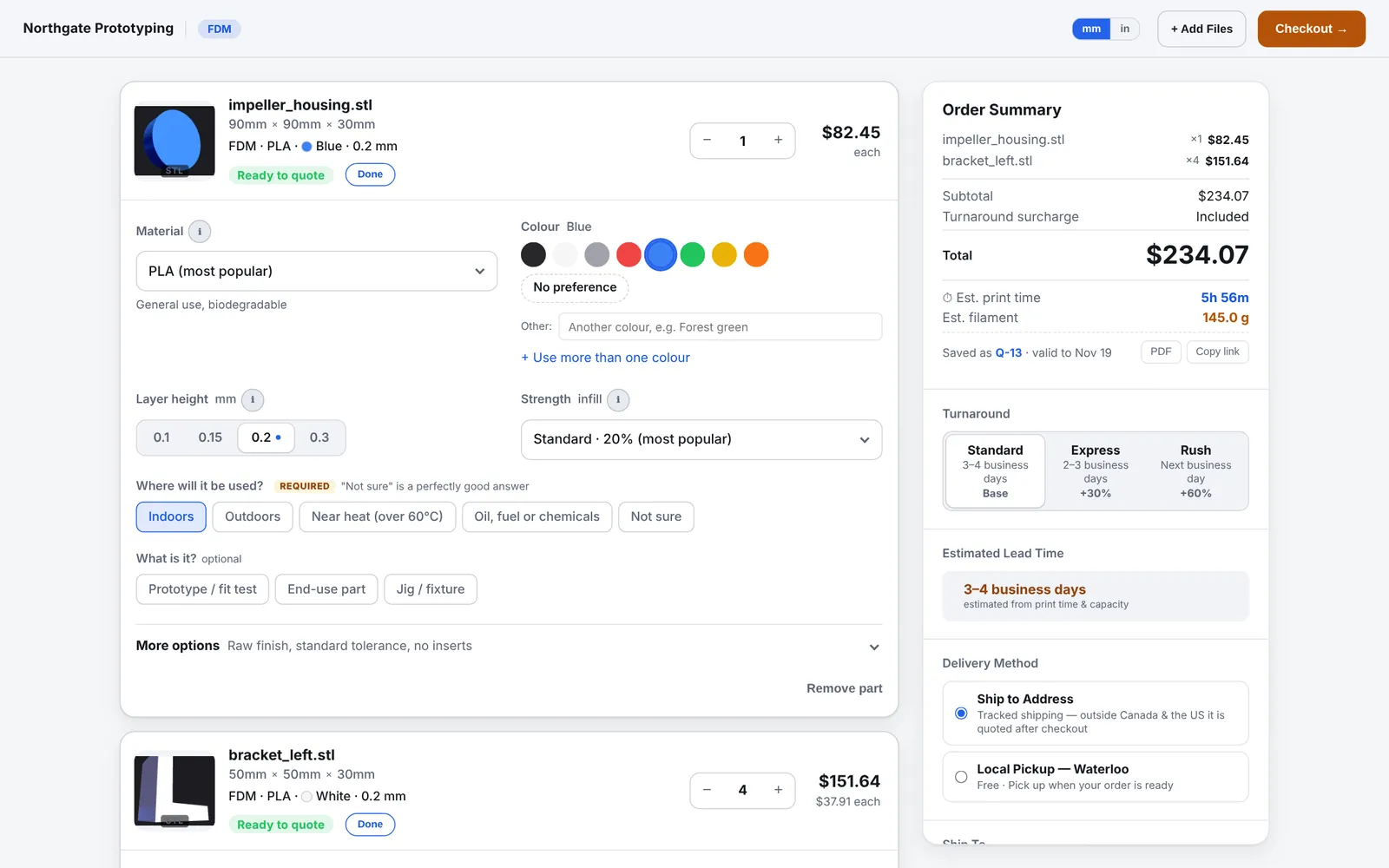
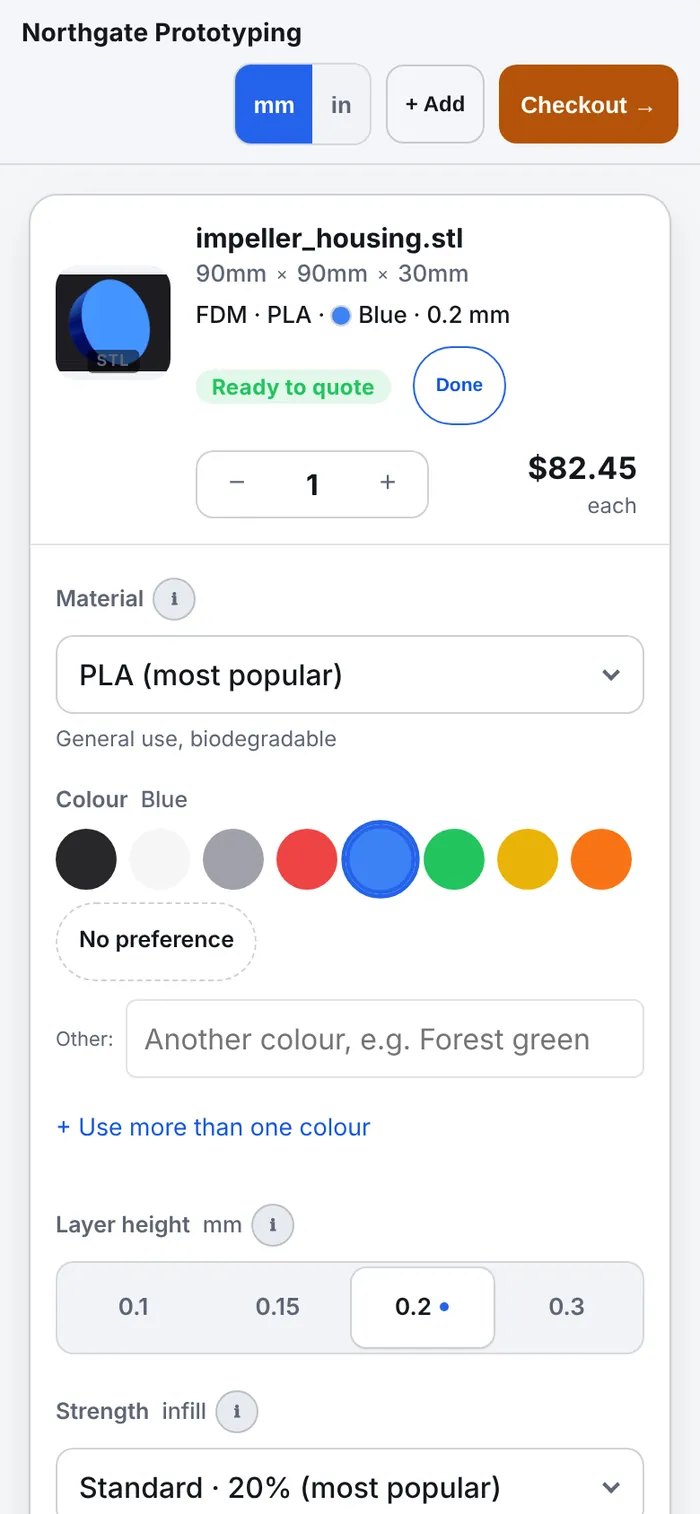
CustomerThe price comes from the part itself: its size, the material, layer height and infill, using your rates. Print time and filament show too. Change the colour, material or quantity and it reprices on the spot.
Step 3 of 9
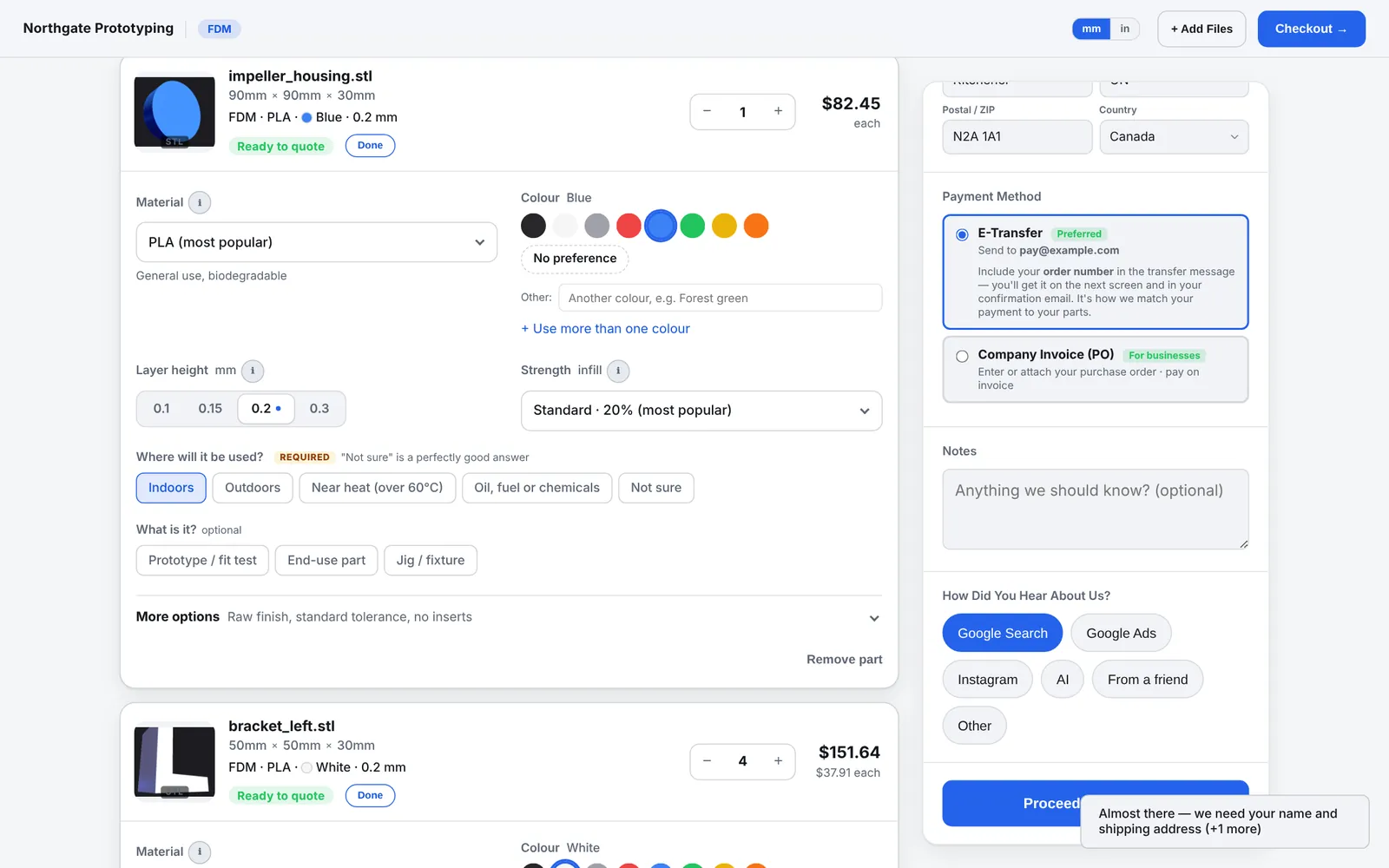
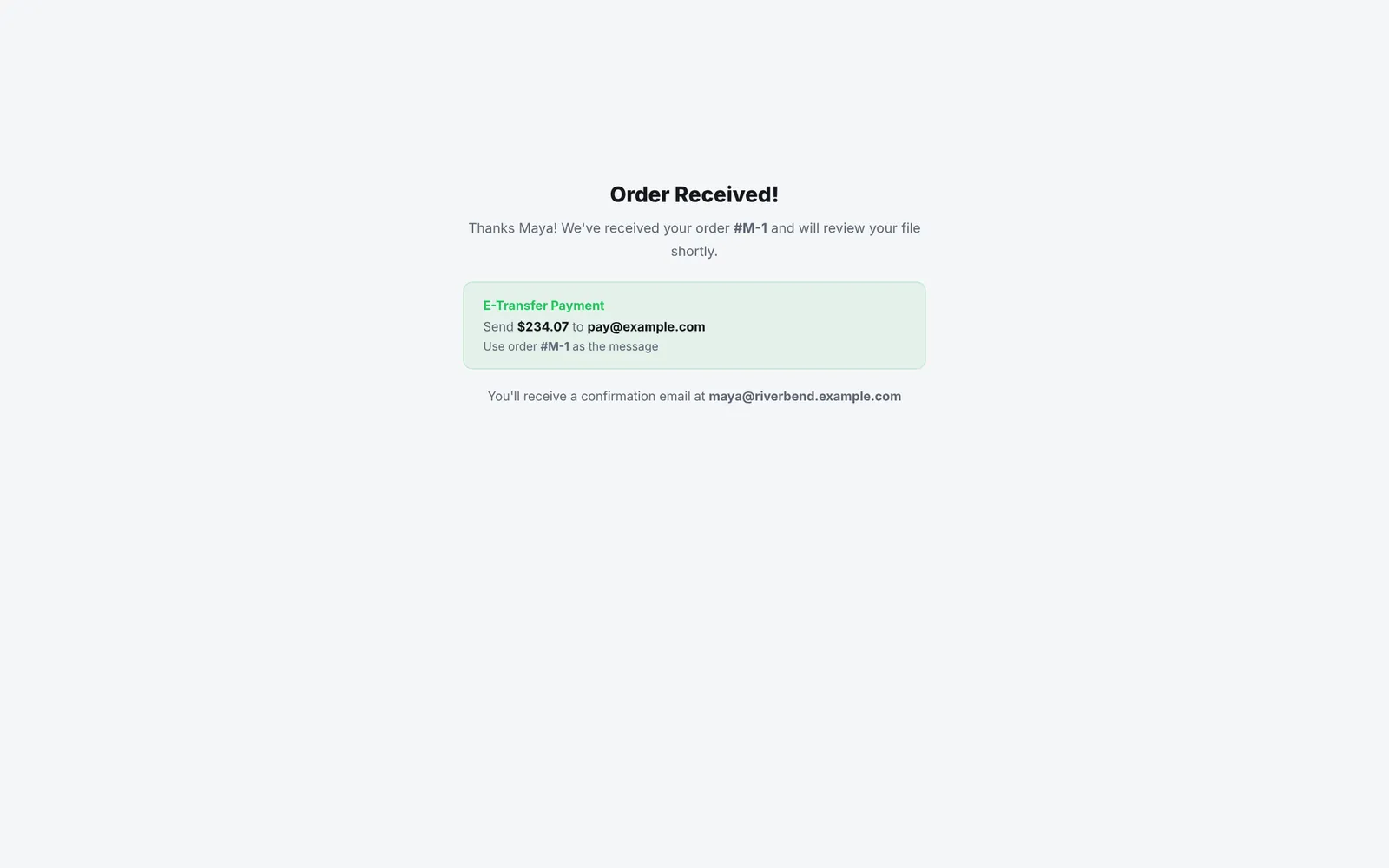
CustomerShipping address, how she wants to pay, done. She gets her order number on the spot.
Step 4 of 9
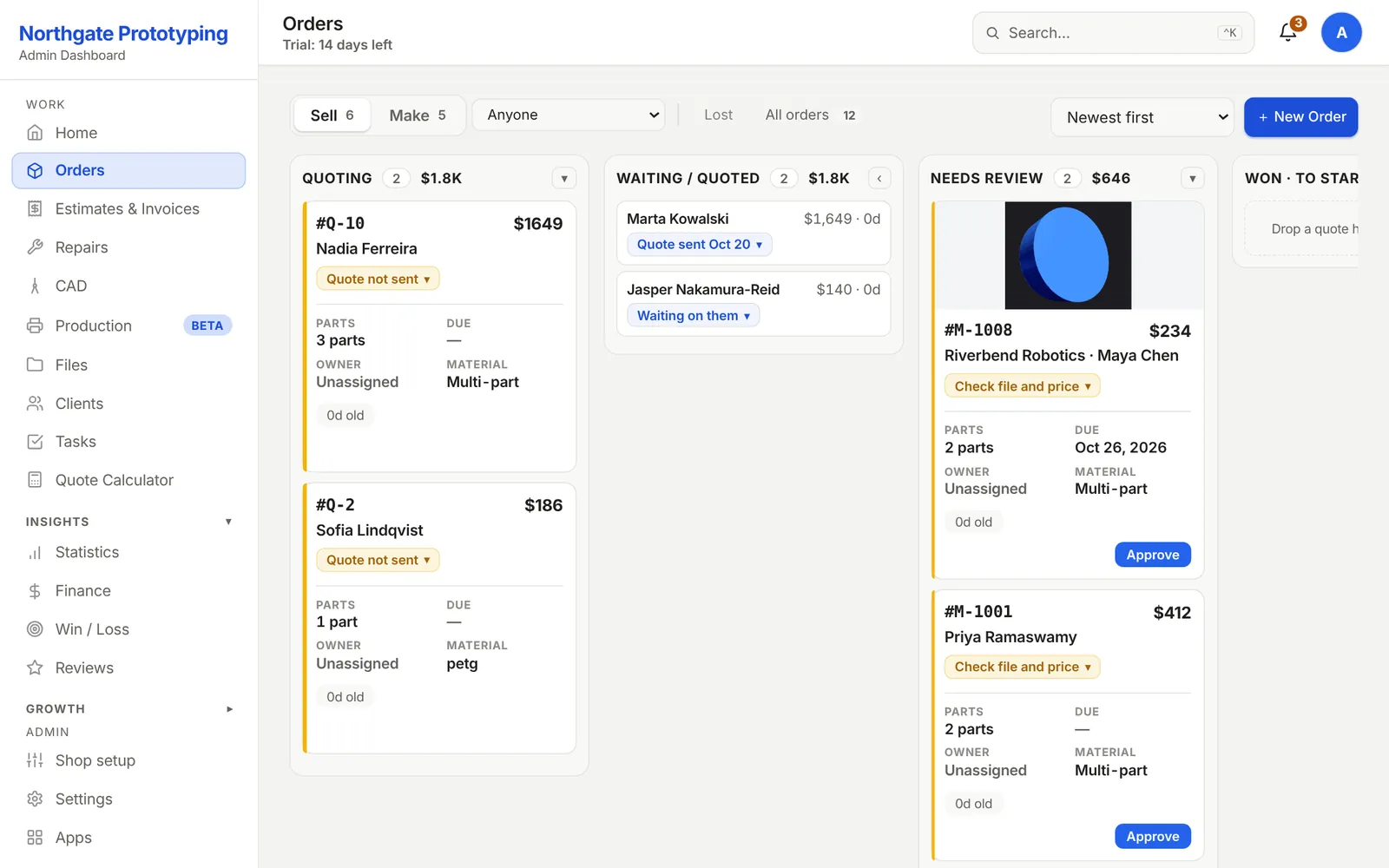
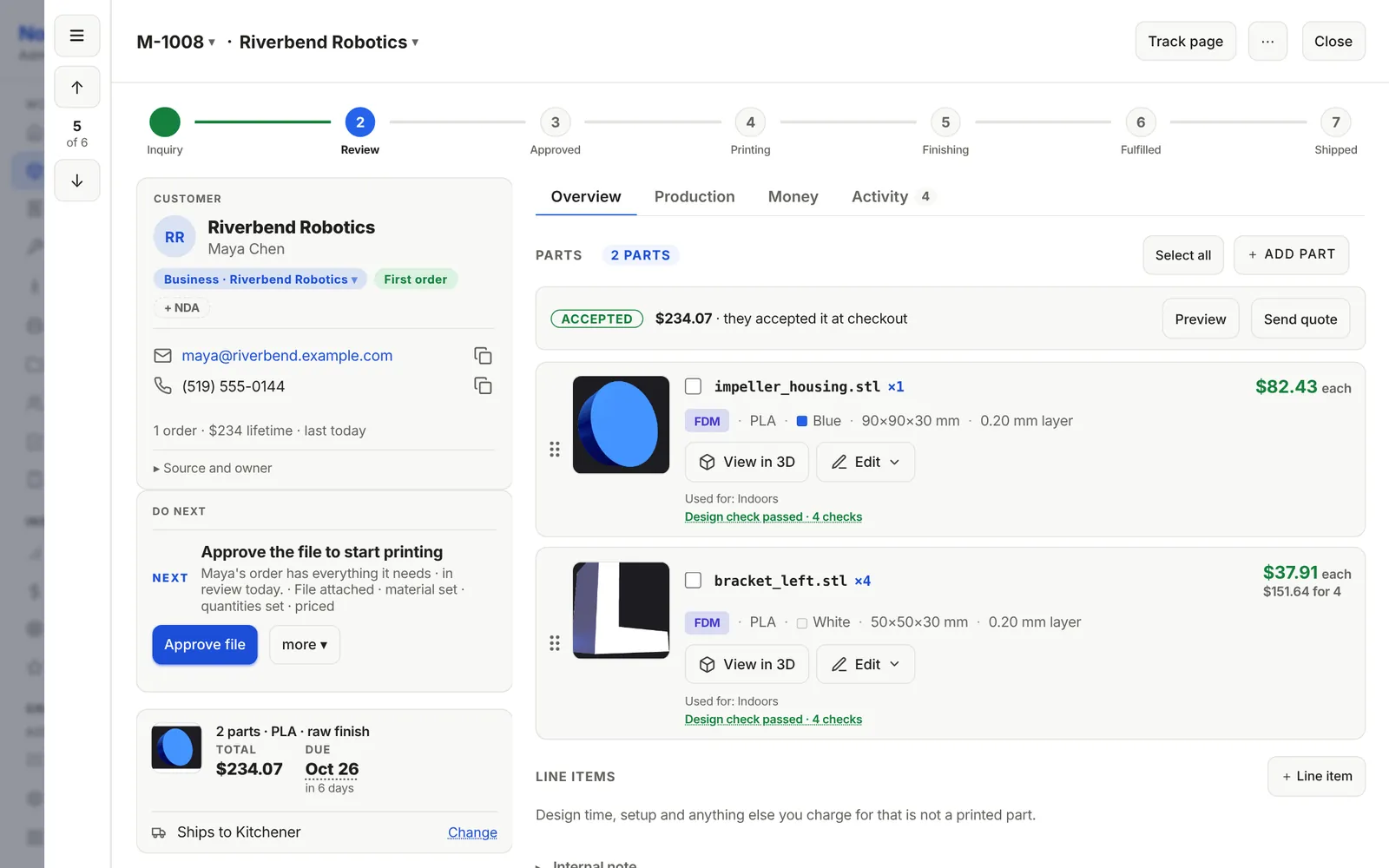
YouThe order shows up under Needs review with a picture of the part. Open it and everything is there: parts, colours, the design check, the due date it was promised for.
Step 5 of 9
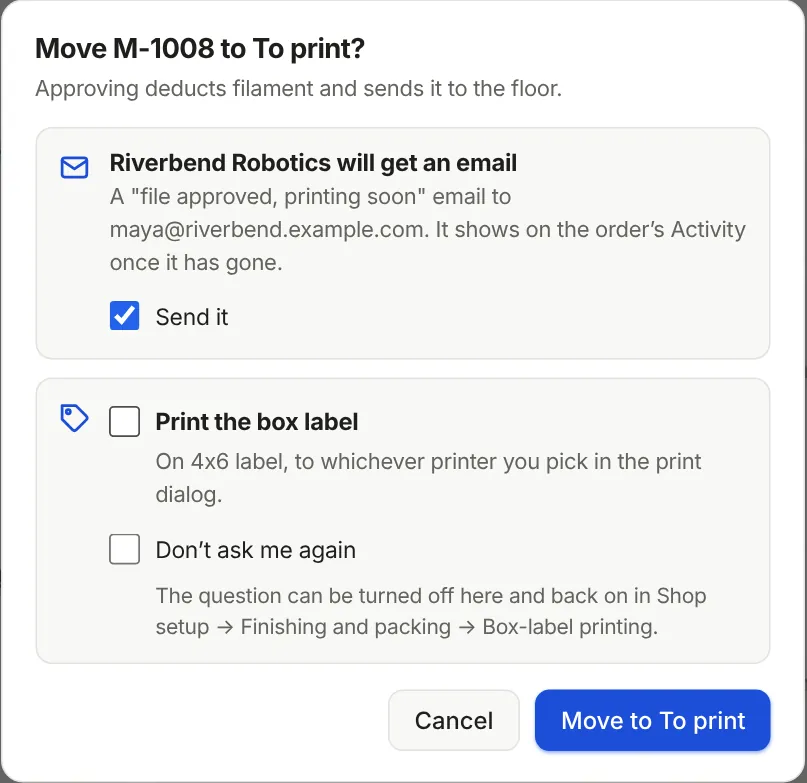
YouOne click. You see exactly which email goes out before it goes.
Step 6 of 9
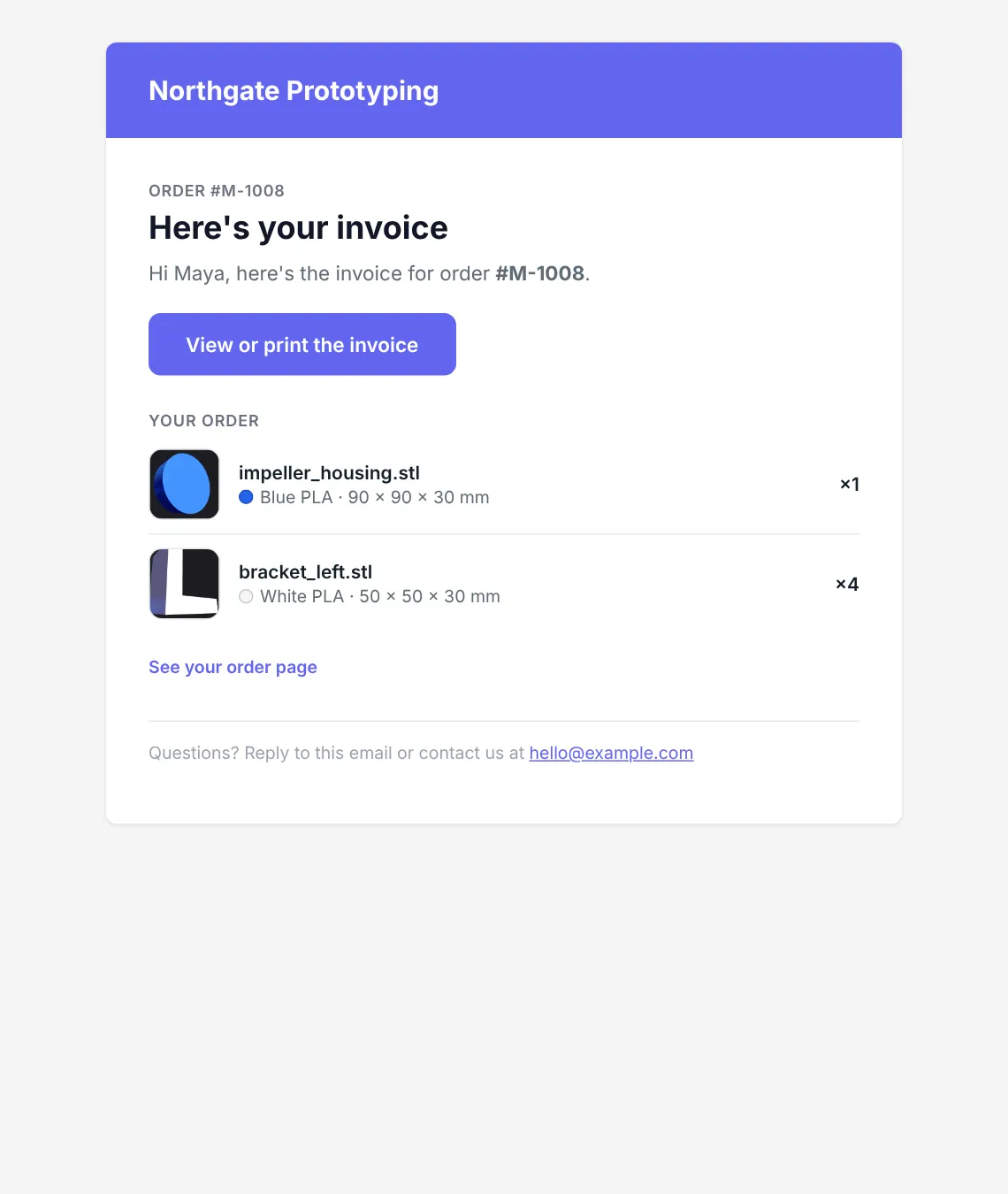
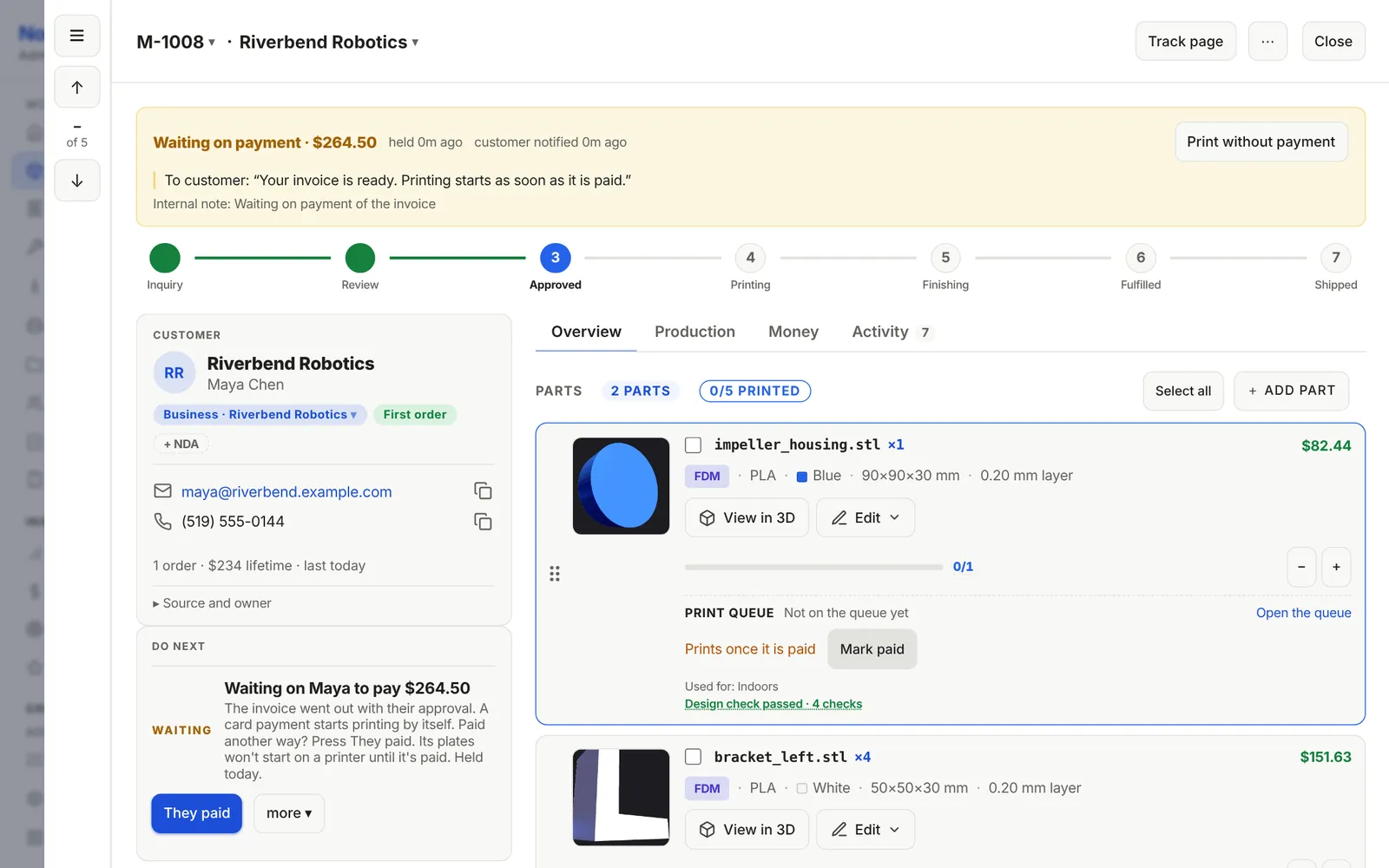
Runs by itselfPay before print is on, so the invoice is sent with the approval and the order waits for the money. Nothing hits a printer until it is paid.
Step 7 of 9
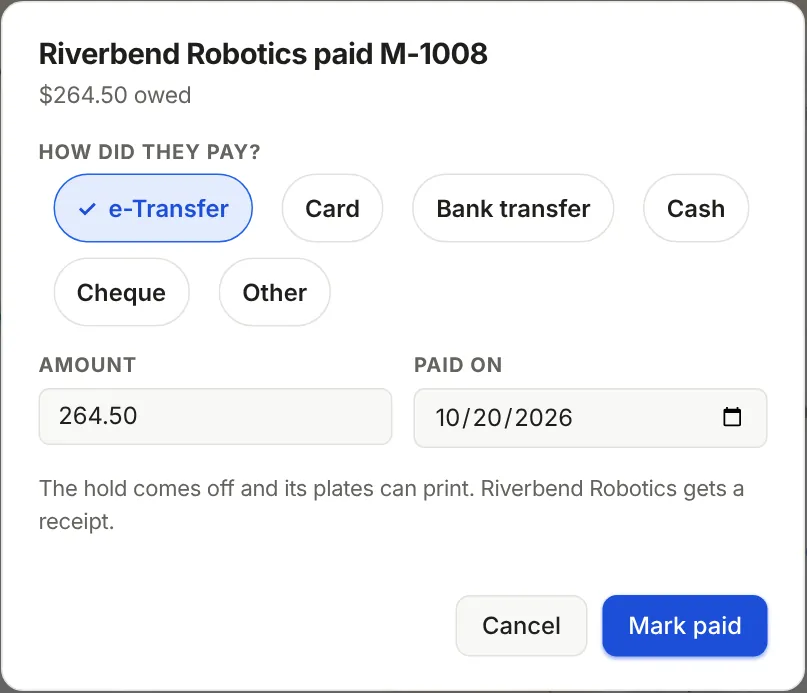
YouA card payment clears the hold by itself. For an e-Transfer you tap They paid, and she gets a receipt.
Step 8 of 9
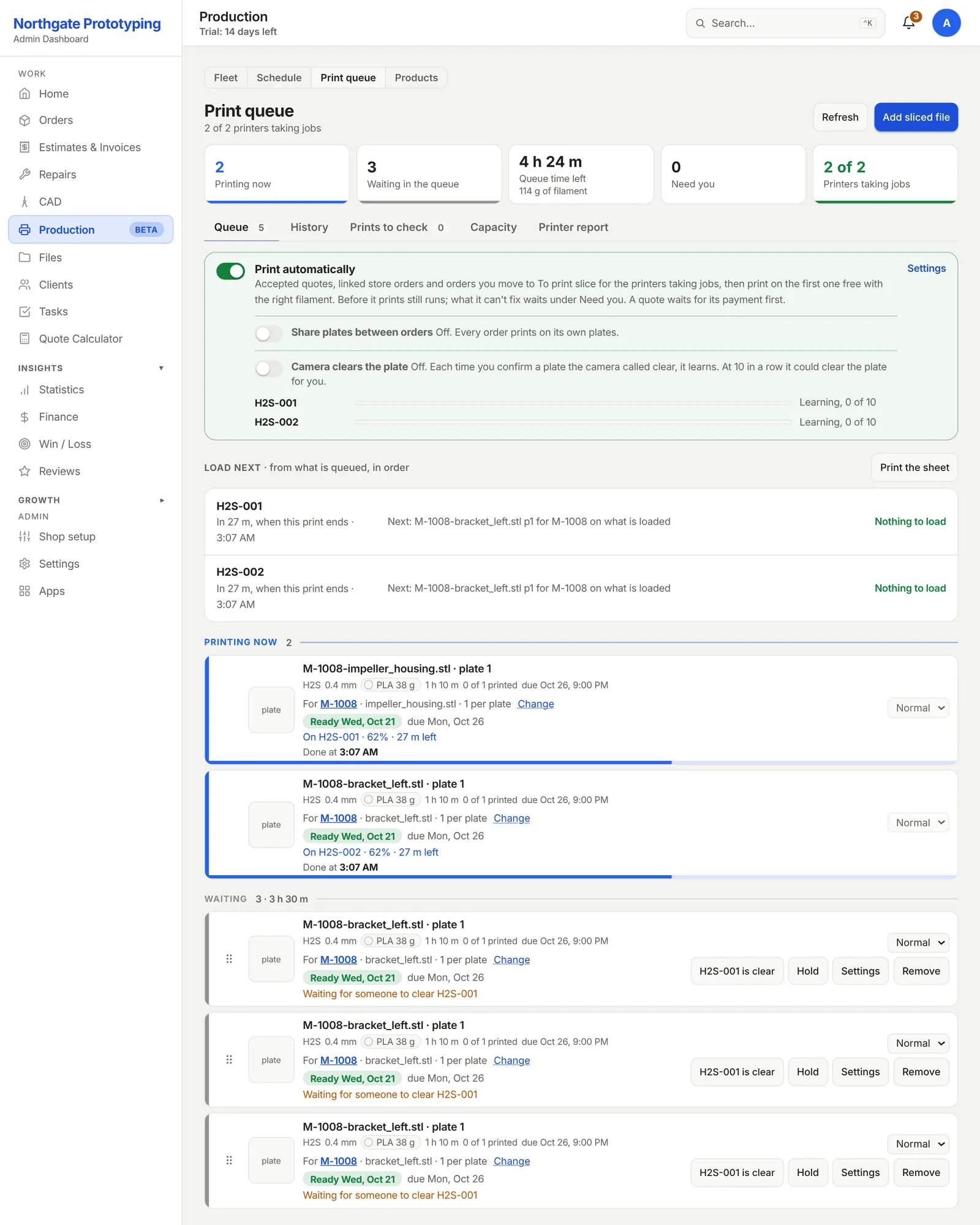
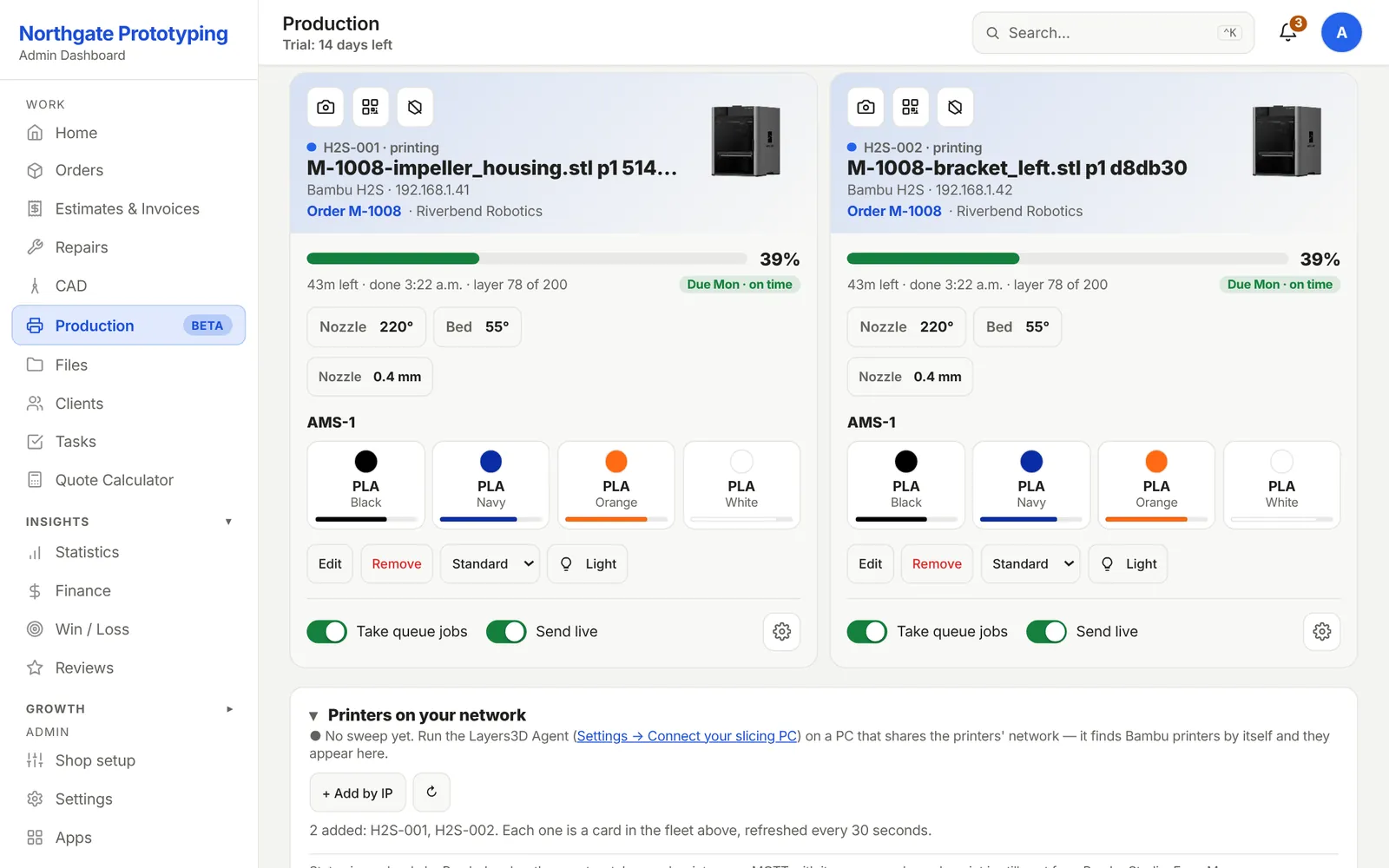
Runs by itselfYour shop PC slices each part, the plates join the print queue, and each one starts on the first free printer with the right filament loaded. You see what is printing, what is next, and what needs a hand.
Step 9 of 9
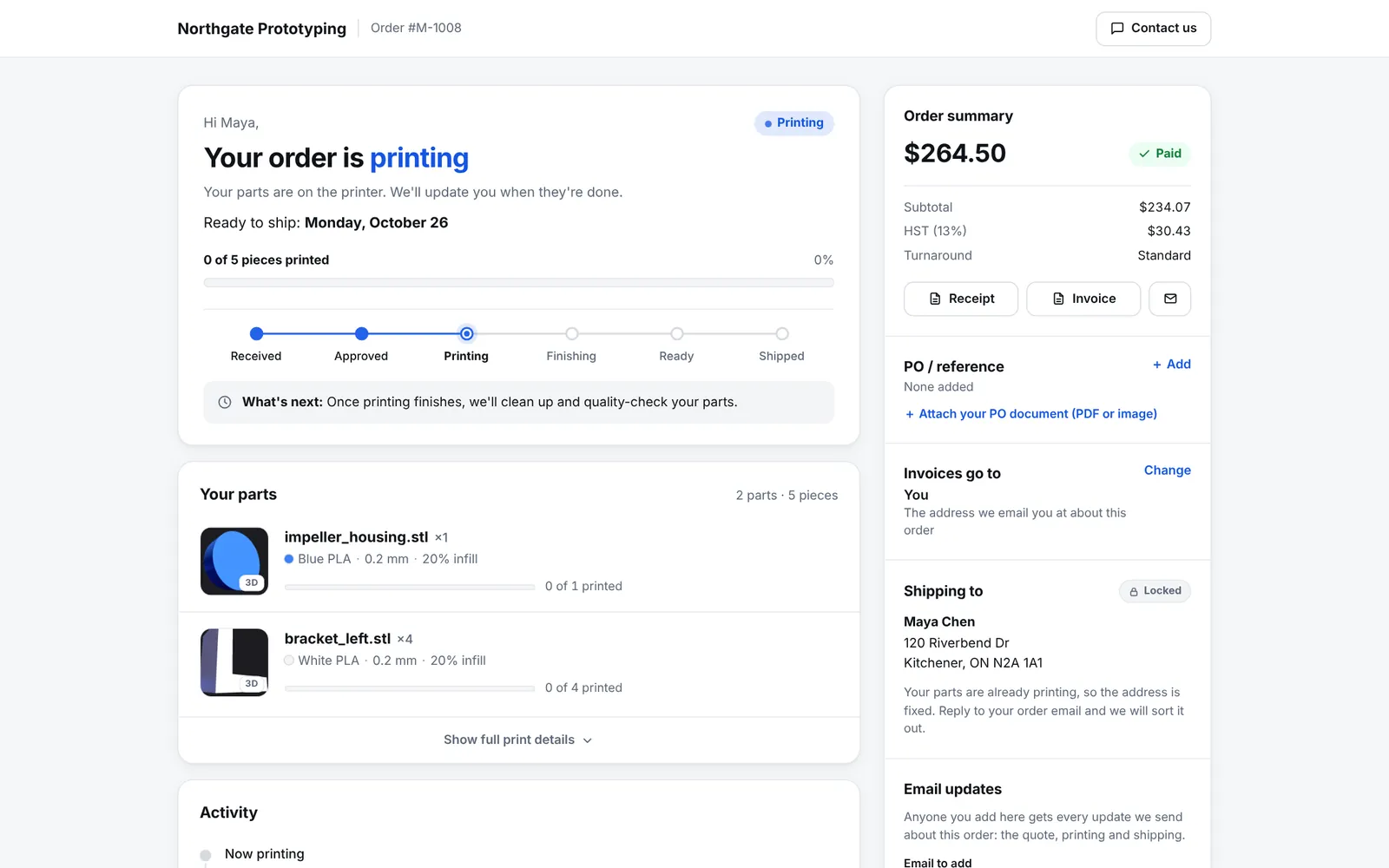
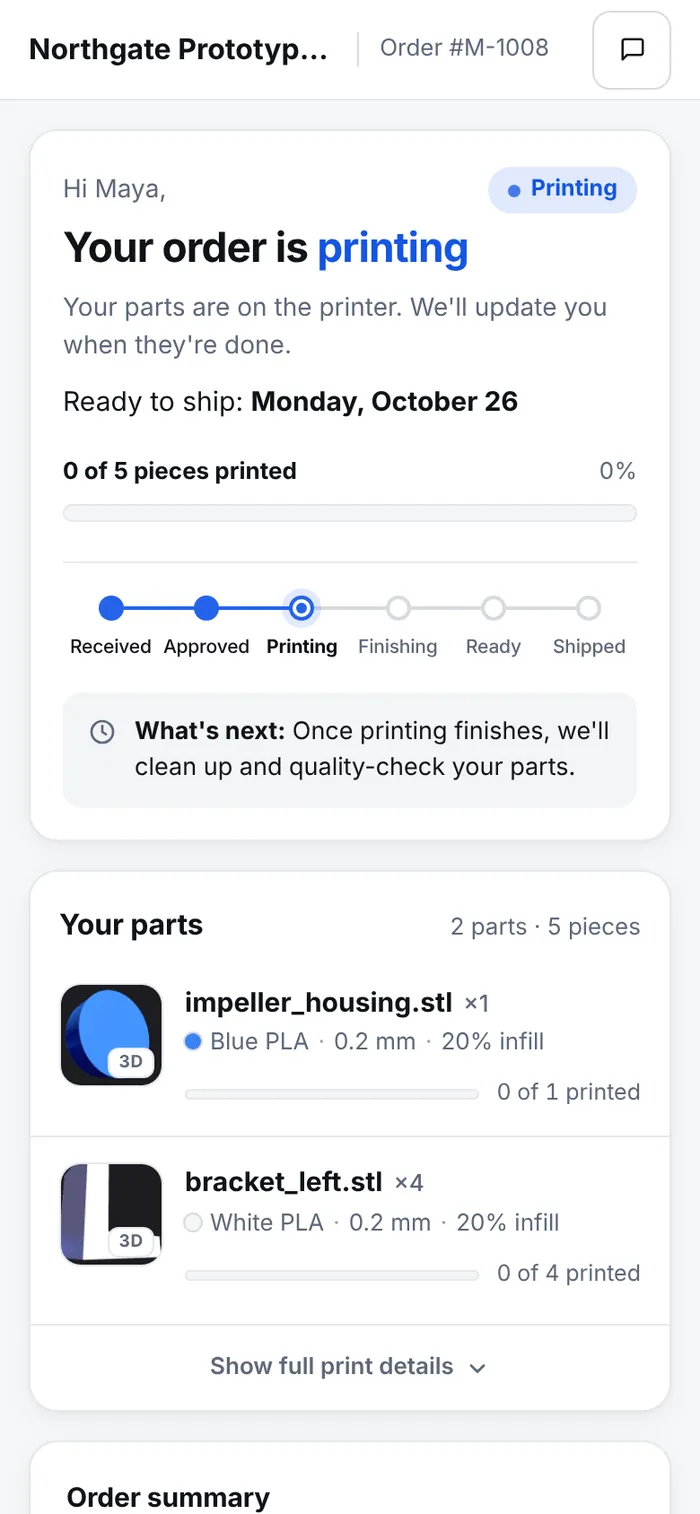
CustomerHer track page follows the order from received to shipped, with the invoice, receipt and shipping address in one place.
One more road
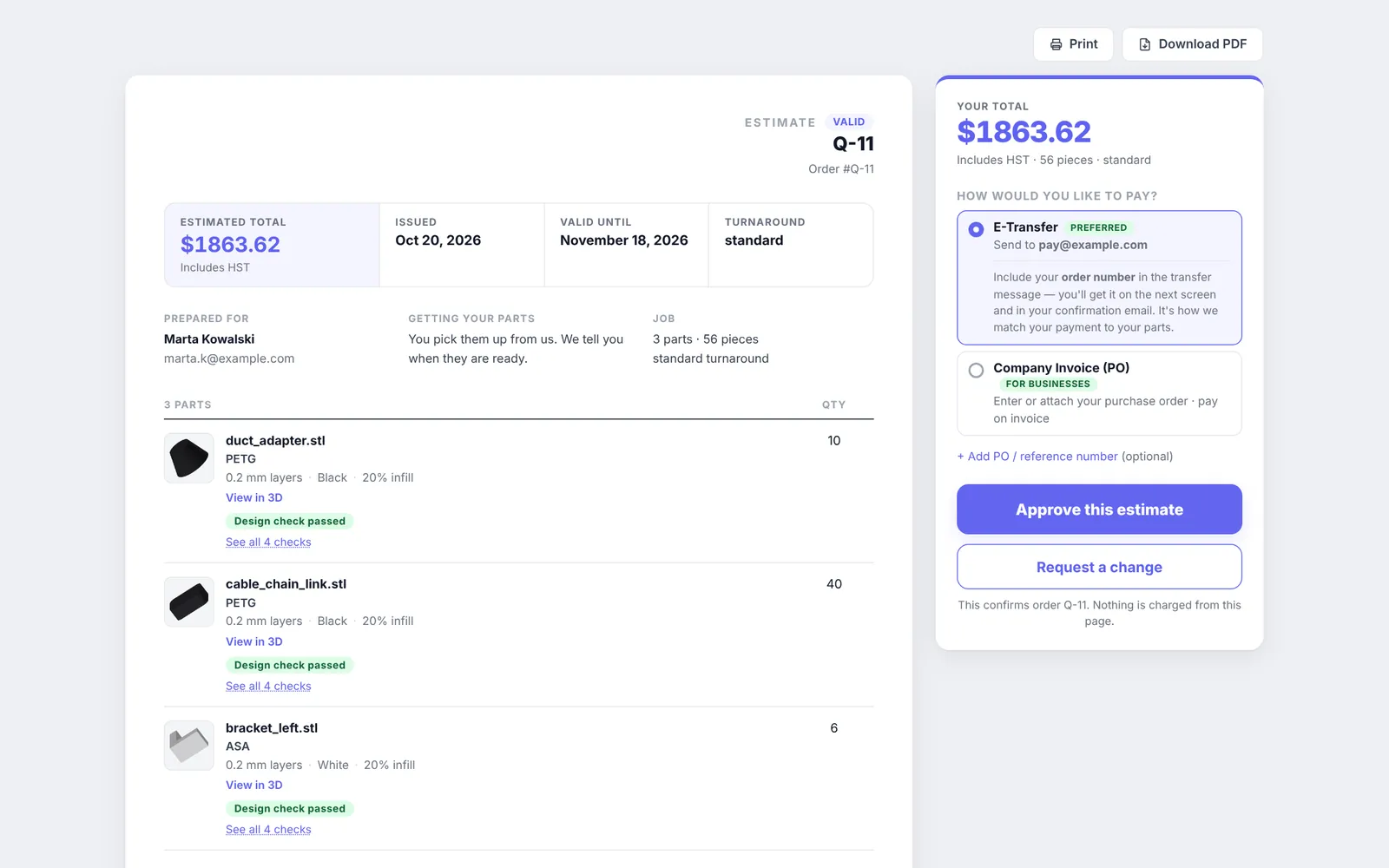
CustomerFor jobs you want to price yourself, send an estimate instead. The customer approves it, or asks for a change, from one page.
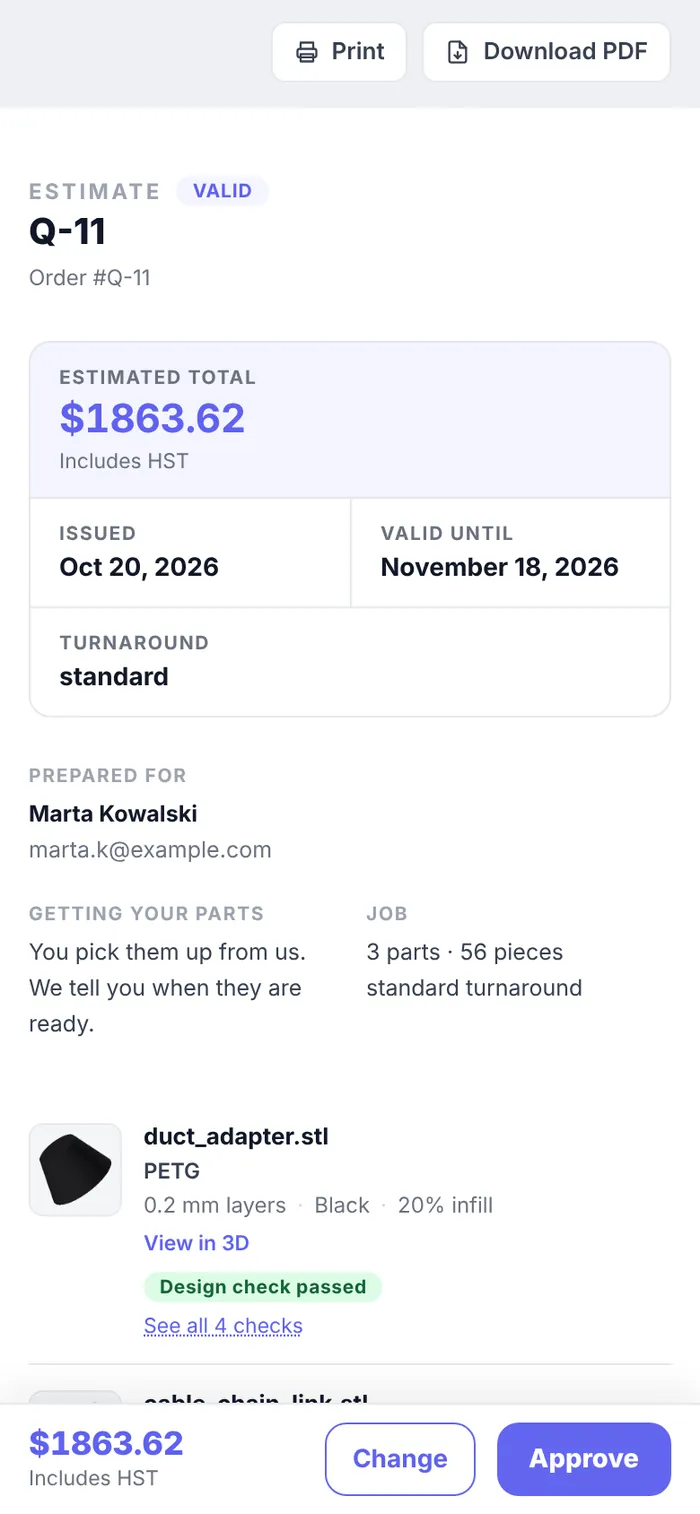
Made-up shop and made-up customer. The printers and the slicing PC were simulated for these pictures.
Approved the file and marked the e-Transfer paid. Pricing, the invoice, slicing, picking a printer and the customer's updates happened on their own. With card payments on, the second click goes away too.