Every customer, every quote, every part, in one record.
A print shop's CRM is not a sales funnel with stages named by a consultant. It is the answer to "what have we done for these people, what do they owe us, and what did they say last time." Layers3D keeps that answer next to the work, because it was built from the work.
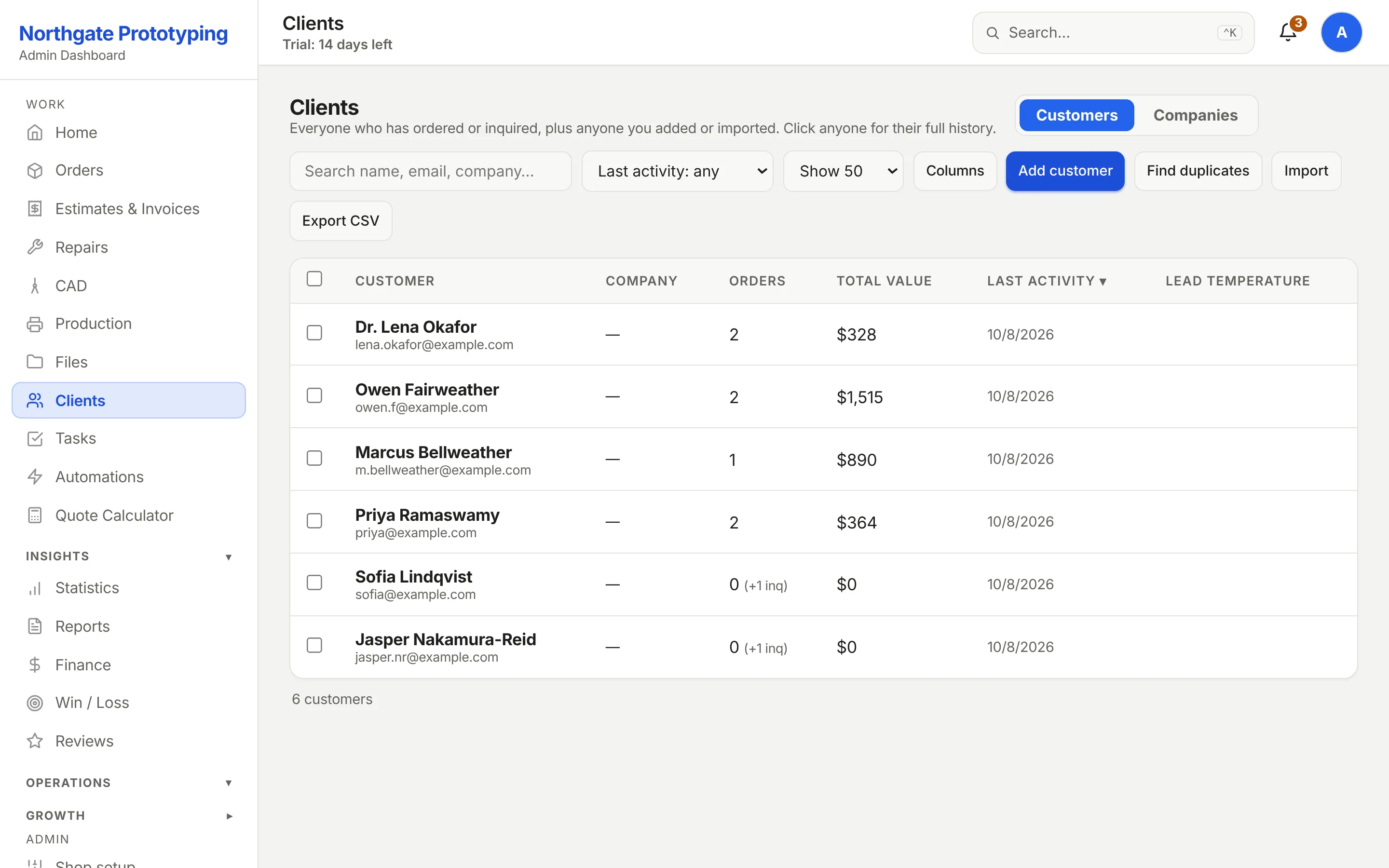
One row per person, with their company, their order count, open inquiries, total value and last activity. Filter by how recently they were active to find who has gone quiet. Group by company when the buyer and the accounts payable contact are different people. Find duplicates before they become two histories. Export it any time.
Orders and inquiries counted separately, so a lead is never mistaken for a customer
Activity filters: active in 30 or 90 days, dormant six months, dormant a year
A global do-not-email list every automated message respects
CloseThe Customers page listing six customers with company, order count and open inquiries, total value and last activity, with filters for last activity, a Companies view, Find duplicates and Export CSV.
One record
Click a name and the whole history is there.
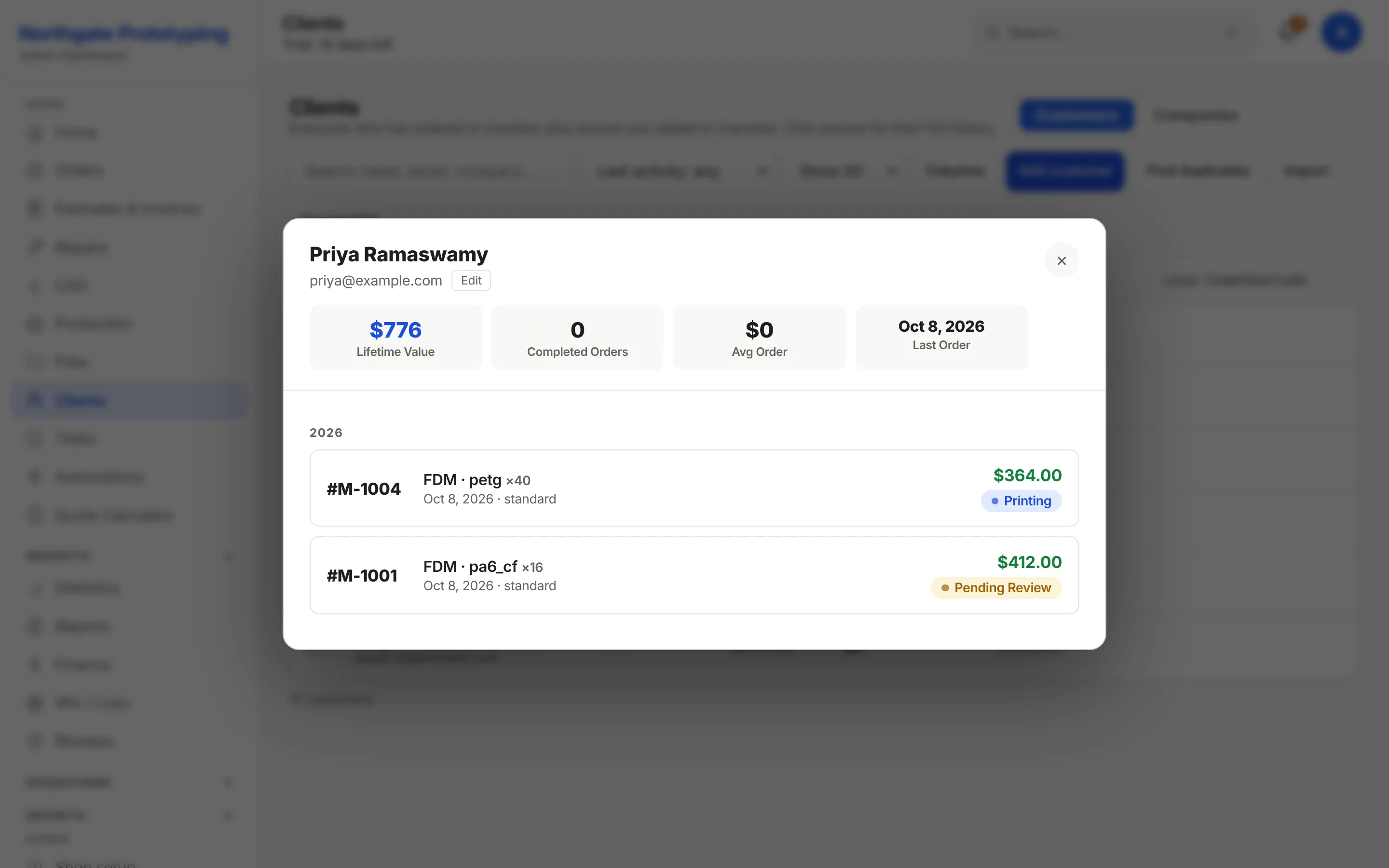
Lifetime value, completed orders, average order and the last order date at the top; below it every order and quote by year with its technology, material, quantity, price and current status. Repairs and design jobs sit in the same list. Notes, payment terms and a PO number live on the company, and a signed NDA is tracked per company and per contact, so the file gate knows who may see what.
Lifetime value and order history at a glance
Business customers with net terms, PO numbers and typed holds for awaiting-PO or awaiting-payment, on Enterprise
NDA tracking per company, read from the signed document, on Enterprise
Calls and texts attached to the job through Quo (OpenPhone) or your own Twilio account
CloseA customer's detail panel: lifetime value $892, completed orders, average order and last order date, then the 2026 history listing three orders with technology, material, quantity, price and status badges for Pending Review and Printing.
Files
The folder nobody could find, found.
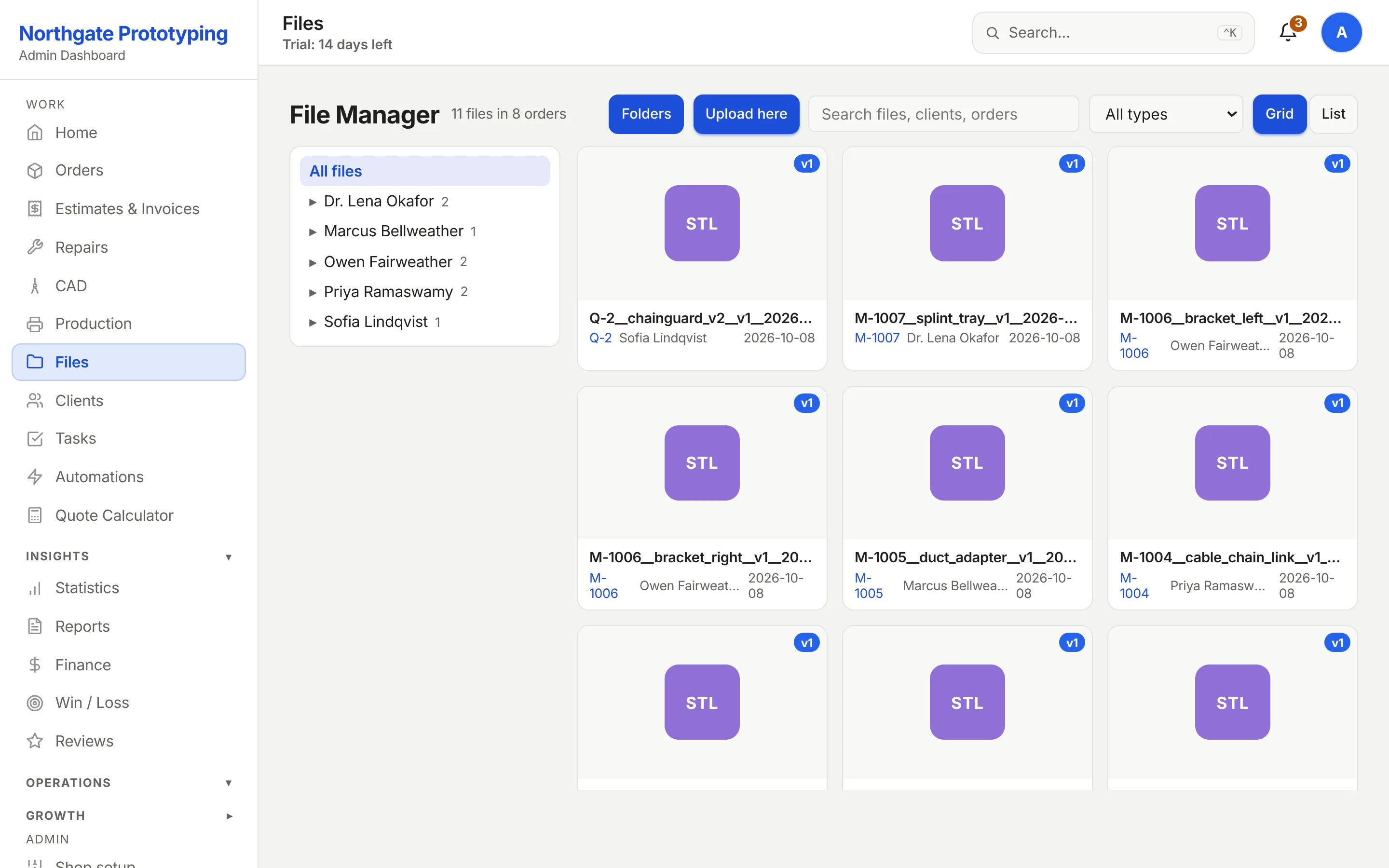
Every uploaded model, slicing profile and document lands in the file manager under its customer and order, with a rendered thumbnail so a bin of black brackets is not a guessing game. Revisions stay attached to the order that produced them. The customer's tracking page shows the same files back to them in 3D.
Folders by customer and order, grid or list, filter by type
Thumbnails rendered from the geometry, not the filename
CAD models, slicing profiles and documents in one place
Downloads and previews gated by your login; nothing is a bare public link
CloseThe File Manager showing thirteen files across ten orders as a thumbnail grid of rendered parts, with a folder tree by customer on the left and filters for file type.
Tasks and projects
The work that is not an order.
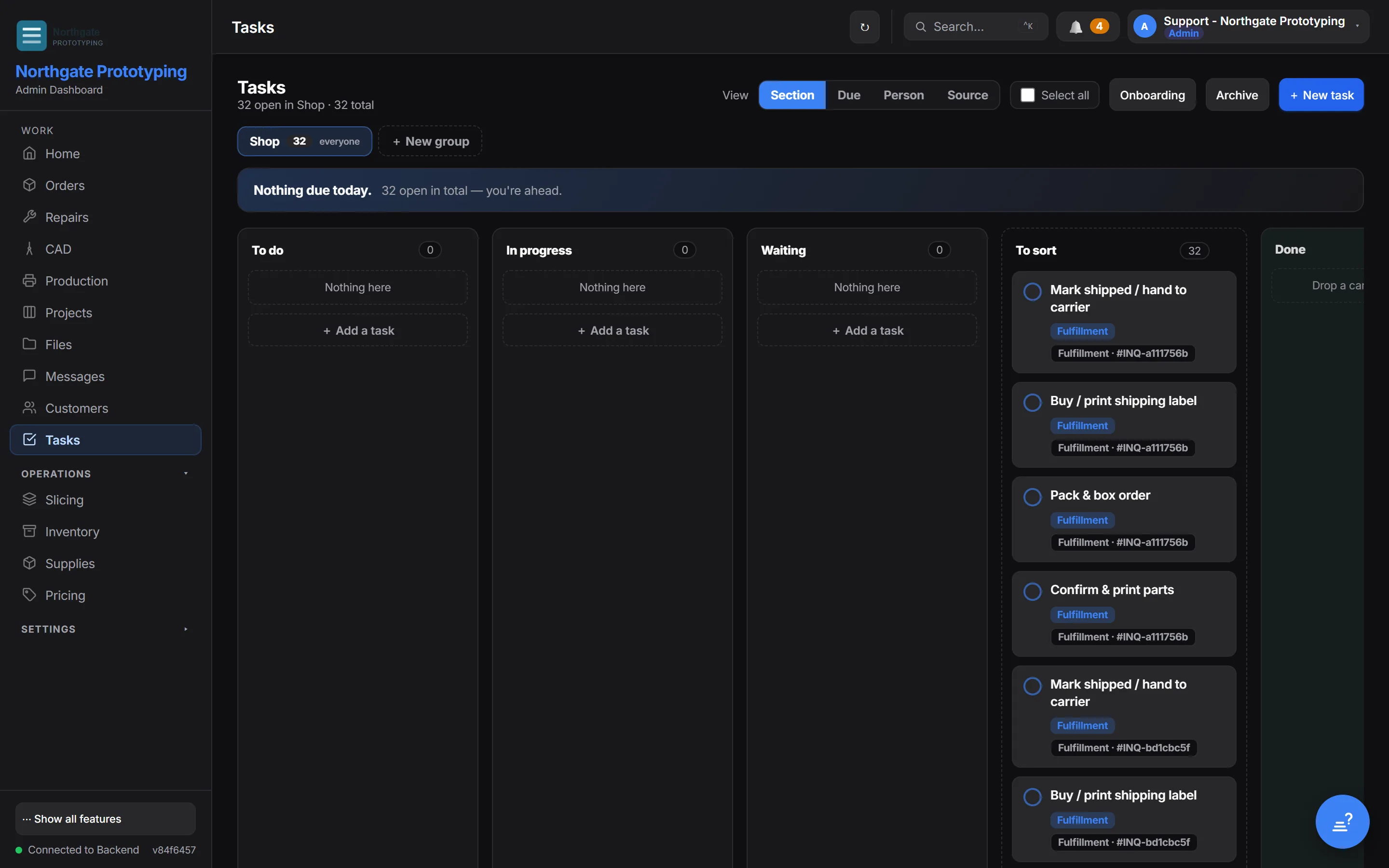
Maintenance, calibration, the reorder of spools, the customer you promised to call back: tasks live beside the boards, grouped by team, with a due date and a person. Multi-week jobs that span several orders get a project with a code, a target date and a shared timeline, so a design job, its prototype and the production run stay one piece of work.
Tasks with due dates, owners and groups; an onboarding checklist for new shops
Tasks linked to an order, with a service-level clock where it matters
Projects that group orders, roll up hours and hold a baseline
CloseThe Tasks page with a group selector, view options by section, due date, person and source, an onboarding checklist and the count of open tasks.
Bring your customers with you.
Founding Shops get Professional at CA$119.20 a month for their first year. Import from a spreadsheet or let the first quote requests build the list.