A repair desk beside your print queue, not in a separate inbox.
Plenty of shops fix printers as well as run them. Layers3D gives that work its own booking page, its own ticket numbers and its own board, while the customer, the history and the invoicing stay in the same place as everything else you do for them.
Customers book a repair the way they request a quote.
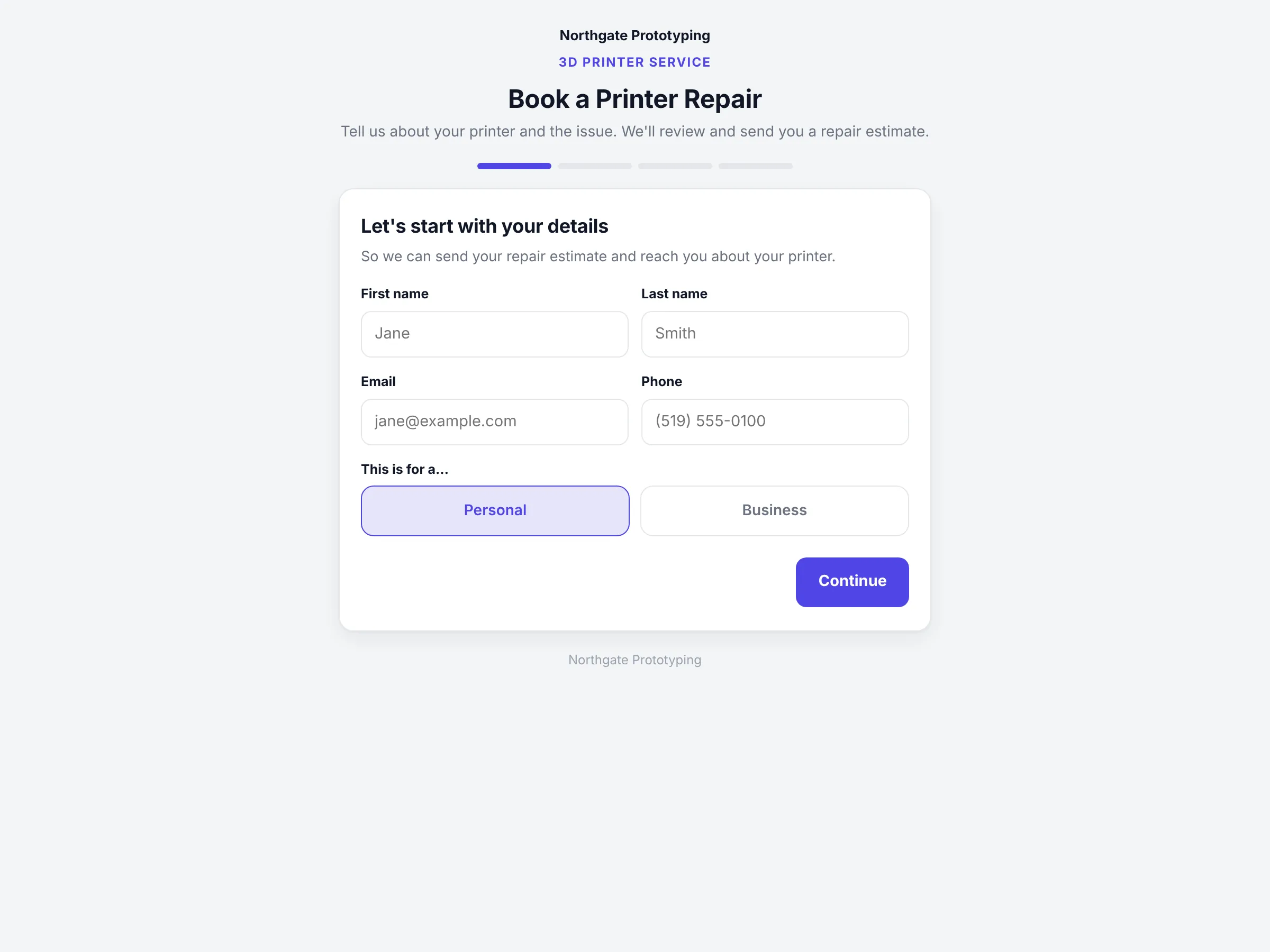
Your branded booking page asks four things in order: who they are, which printer, what is wrong, and whether they will drop it off or want you on site. They can attach photos or a short video of the fault. Brands and models you do not service get a polite off-ramp before they type a paragraph, and the ones you do land on your board as a ticket.
A catalogue of the brands and models you service, with eligibility rules you set
Drop-off or on-site, with the address captured for on-site jobs
Photos and video of the fault attached to the ticket
Personal or business customer, so a company gets a proper invoice
CloseThe branded Book a Printer Repair page for the demo shop: a four-step progress bar and the first step asking for first name, last name, email, phone and whether the repair is personal or business.
The repairs board
New, estimate sent, accepted, scheduled, done.
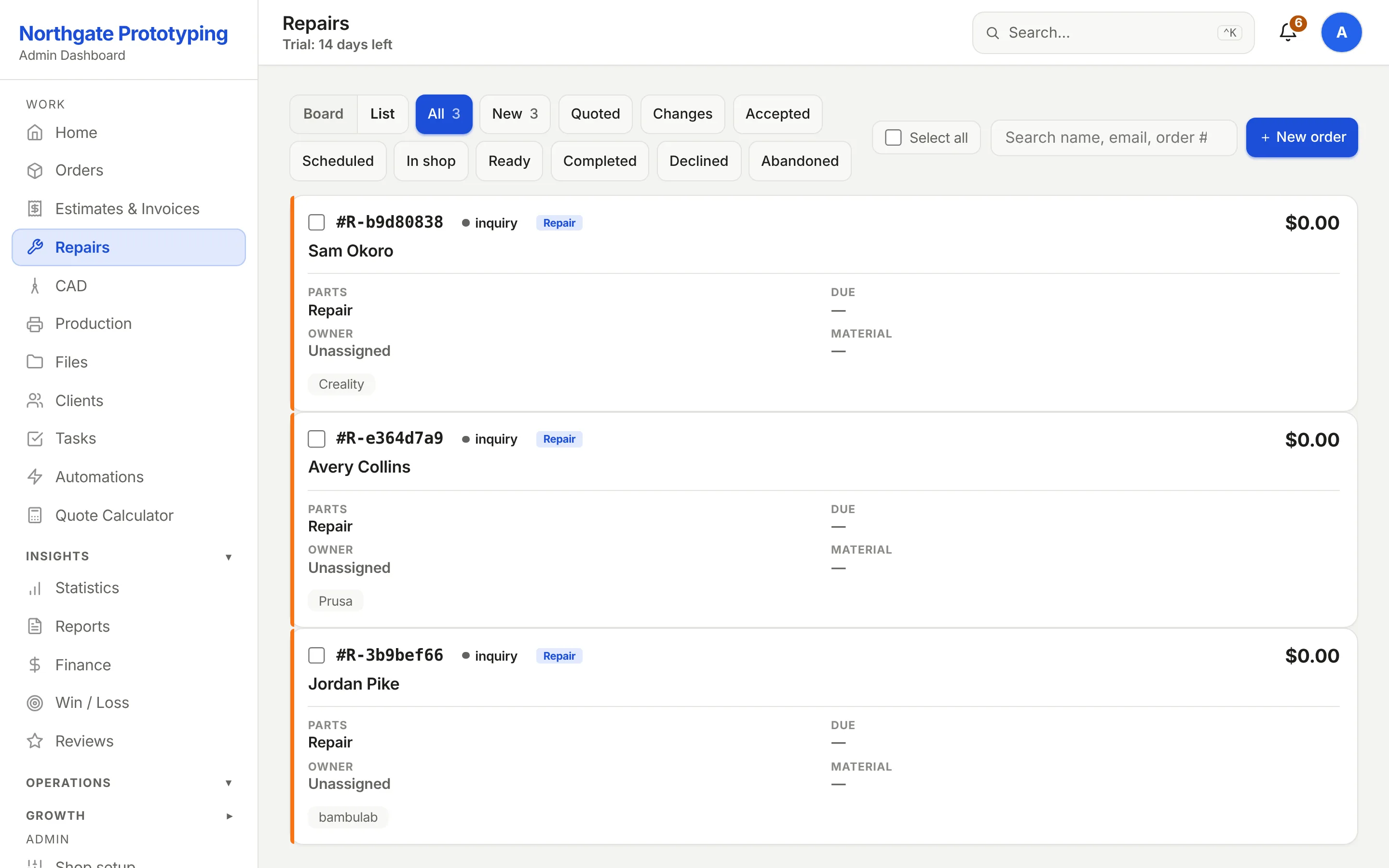
Every ticket carries the printer model, the customer and the estimate. You write the estimate as line items plus labour hours, it goes to the customer branded as your shop, and they accept, ask for changes or decline from the email. Accepted work gets a slot from your calendar, and completed work is invoiced like any other order.
R-numbered tickets, kept apart from your print order numbering
Estimates with parts, labour and a summary, emailed for one-click acceptance
Appointment slots from your business hours, with a calendar file for the customer
Board or list view, filtered by stage, searchable by name, email or ticket
CloseThe Repairs board with stage filters New, Estimate sent, Changes, Accepted, Scheduled, Completed and Declined, showing three tickets: a Prusa MK4 and a Creality Ender 3 as new inquiries and a Bambu Lab P1S with a $78.00 estimate sent.
Why it belongs here
The person whose printer you fixed is the person who orders prints.
A repair customer shows up in the same customer record as their print orders, with the same lifetime value, the same follow-ups and the same invoices. The service tier you offer is a setting: print only, repairs only, or both, and the customer-facing pages follow it.
Setting
Offer it or not
Repairs are one of three services a shop can switch on. Off, and no customer page ever mentions them; on, and the booking page appears under your brand.
Same record
One history per customer
Tickets and orders sit together on the customer's timeline, so you know the printer you serviced in March before you quote their brackets in May.
Same money
Invoiced like an order
Completed repairs bill through the same estimate and invoice documents and the same accounting sync as your prints.
Put your repair intake on your own site.
Founding Shops get Professional at CA$119.20 a month for their first year. Switch repairs on under Settings and the booking page is live.