Your costs, your margin, and a model that learns from every job you win.
Most shops price one of two ways: from what the part costs to make, or from what the market has paid for similar parts. Layers3D does both, shows you where they disagree, and never lets a number reach a customer that neither method can defend.
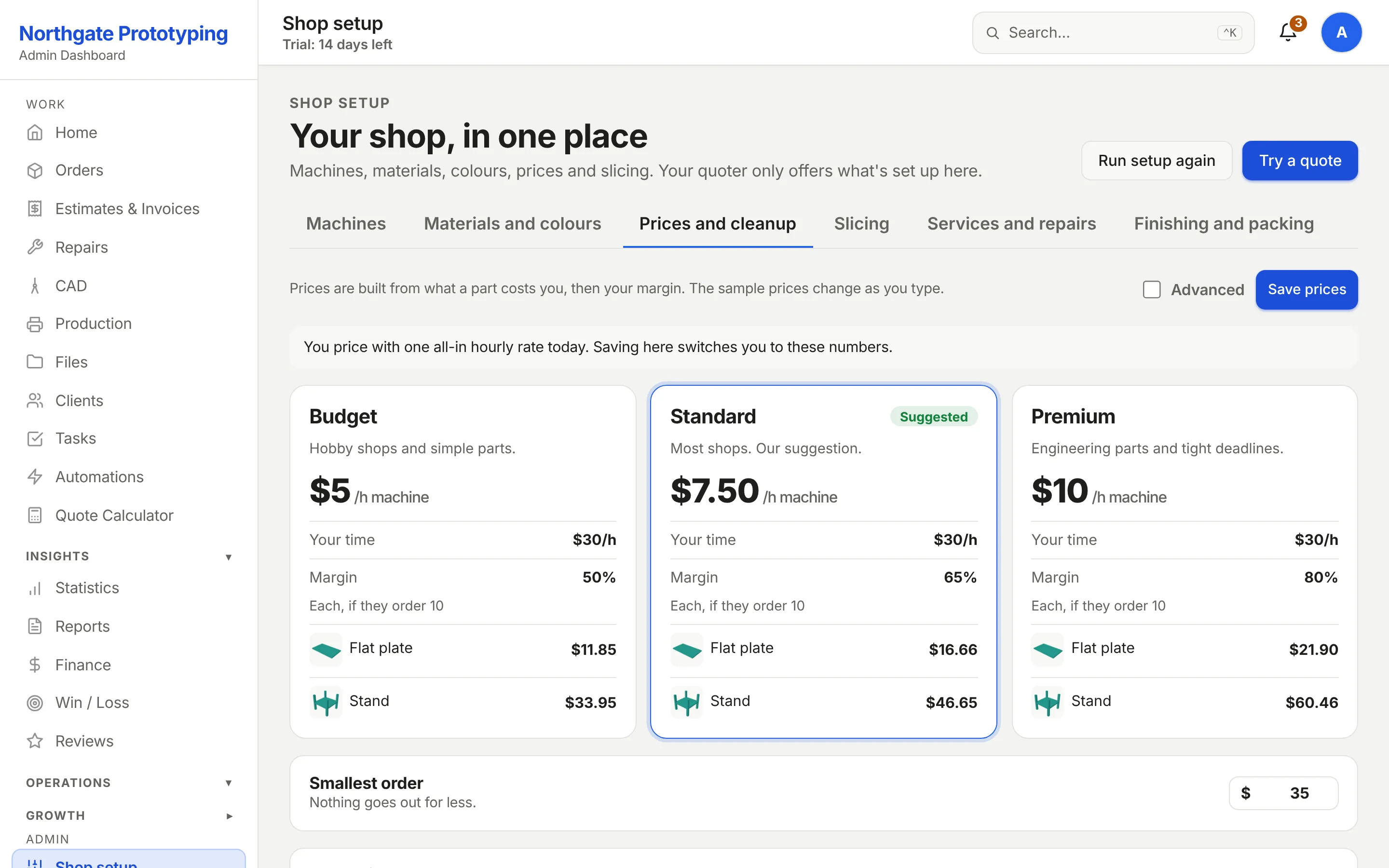
Enter what you pay per roll and the roll weight; the price per gram falls out. Add the machine rate and wattage per technology, your electricity price, an overhead per order, shop labour, a setup allowance per distinct part and an hourly rate for CAD clean-up. A live example at the top of the page reprices as you type, so you see the effect of every field before you save.
Material cost per gram derived from real roll prices, one line per material
Machine and electricity cost per hour for FDM, SLA and SLS separately
Labour, setup per part and CAD clean-up, so design work is never given away
A target markup slider, and a button that calibrates it to your past jobs
CloseThe Costs and markup page: a live example showing material $0.48, machine and labour $11.65, total cost $12.13 and a price of $20.02 at 65% markup, above material cost per roll for each filament and machine, electricity, overhead and labour rates.
Engine two · the market model
Then let the jobs you have already won teach it.
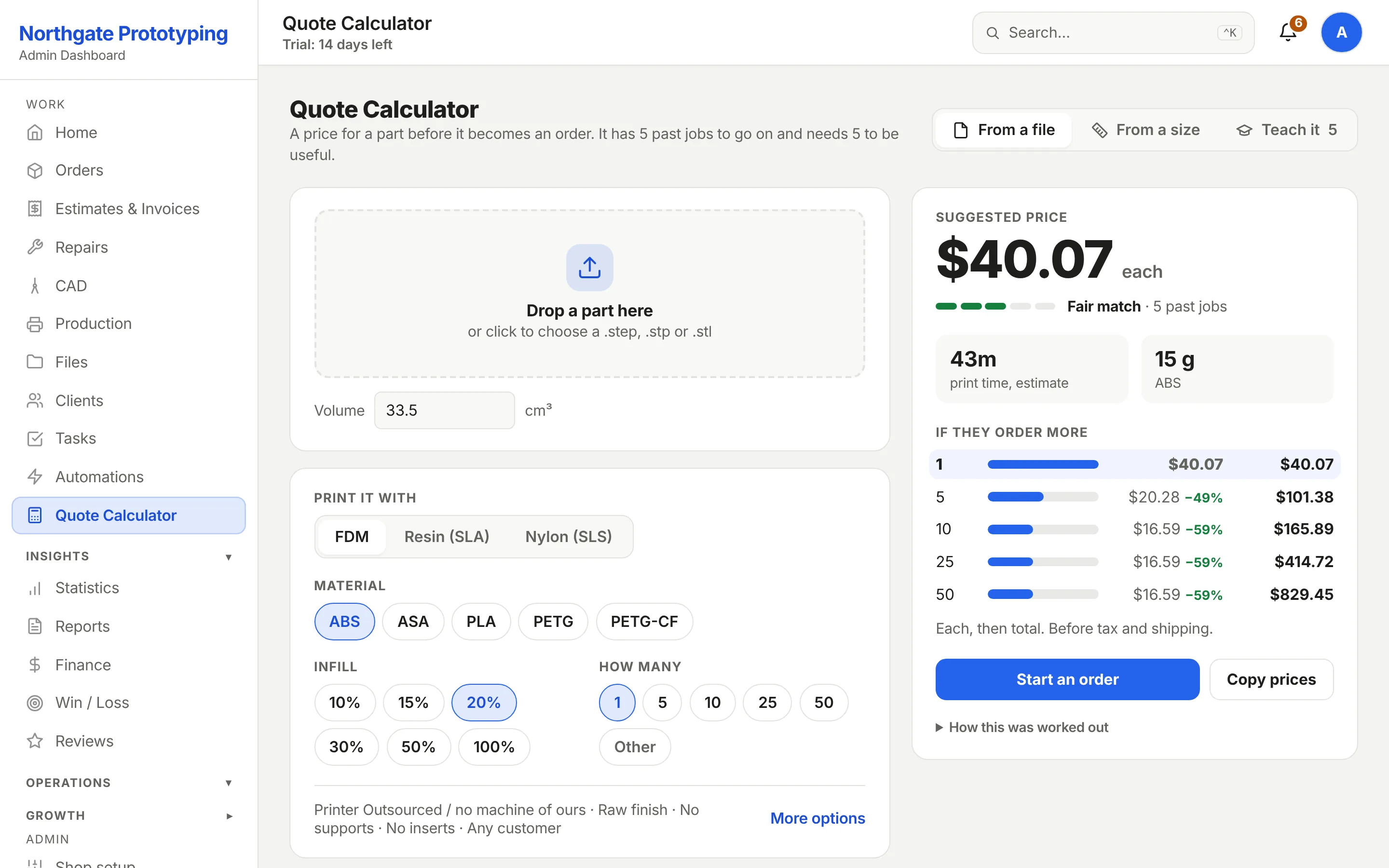
Every quote you win, and every one you lose, can become a training sample: the technology, material, volume, quantity, print time, weight, and the price the customer accepted. From a handful of samples the model finds the nearest past jobs to a new part and prices it the way you actually priced those. It reports how many samples it has and which materials it knows, so you always know how much to trust it.
Nearest-neighbour pricing over your own won jobs, per technology and material
Samples come from completed orders automatically, or from the Train button on the calculator
Odd samples go to review instead of silently skewing the model
At the shop it was built in, quote error fell from 46% to 15% once the model had a year of jobs
CloseThe Quote Calculator with a green Model ready banner reporting six training samples across ASA, PA6-CF, PC and PETG, a part configured as FDM ASA with a volume of 33.5 cubic centimetres on a P1S, quantity tiers, and a material estimate of 16 grams with a 43 minute print time.
Quote rates
The rates your customers see, one screen.
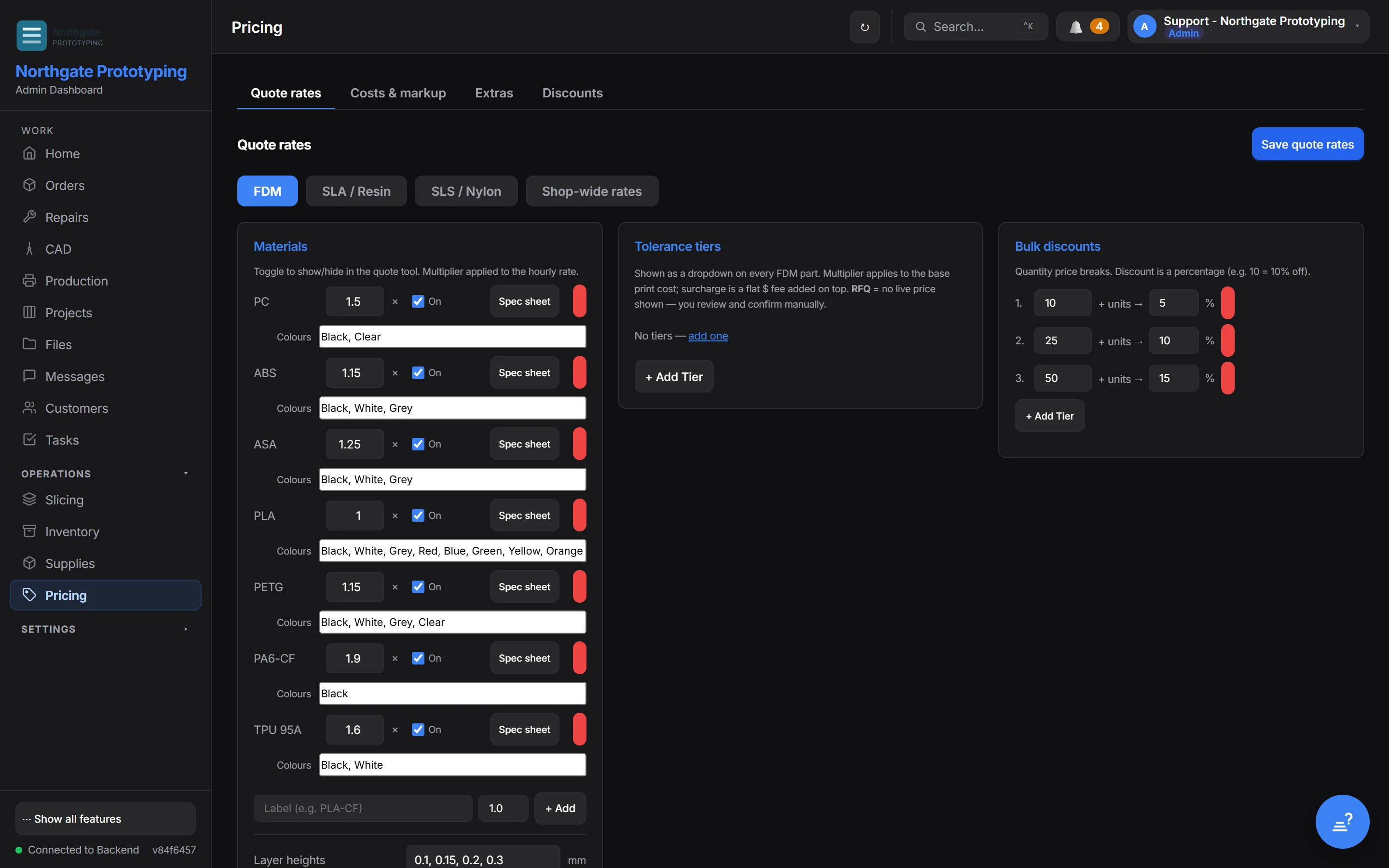
Hourly rates per technology, a multiplier per material, which materials appear in the quote tool, the finishes and extras you offer, heated inserts, and the quantity discount ladder. Change a rate here and the customer quote page, the internal calculator and the price chips on your order cards all move together, because there is one price resolver behind all of them.
Per-technology hourly rates and per-material multipliers
Toggle any material on or off the customer quote page without deleting its rate
Extras and finishes priced once, applied everywhere
Quantity and size curves that follow how you really discount
CloseThe Quote rates page: tabs for Quote rates, Costs and markup, Extras and Discounts; per-technology sections for FDM, SLA and SLS with shop-wide rates and a materials table with a visibility toggle and a rate multiplier per material.
Guards
The number a customer sees has to survive four checks.
Pricing bugs are money bugs. These exist because each one once let a wrong number get close to a customer.
Higher of two
Market versus formula
On a customer quote the engine takes the higher of the market price and the cost formula. The model can never quote below what the part costs you to make.
Sanity
Nonsense geometry is held
An inch-scale STL reads 16,000 times too small by volume. Implausible geometry is flagged for a human instead of priced at pennies.
Immovable
Edits never reprice on their own
Changing a colour, a filename or a note on a quoted or invoiced order cannot move its total. Only a quantity or a price edit does, and that is you.
Sandbox
Customers see prices when you say so
A new shop quotes its first jobs by hand while the model watches. Instant customer pricing switches on after ten completed orders, or when you flip it deliberately.
Win / loss
See where your prices win and where they lose.
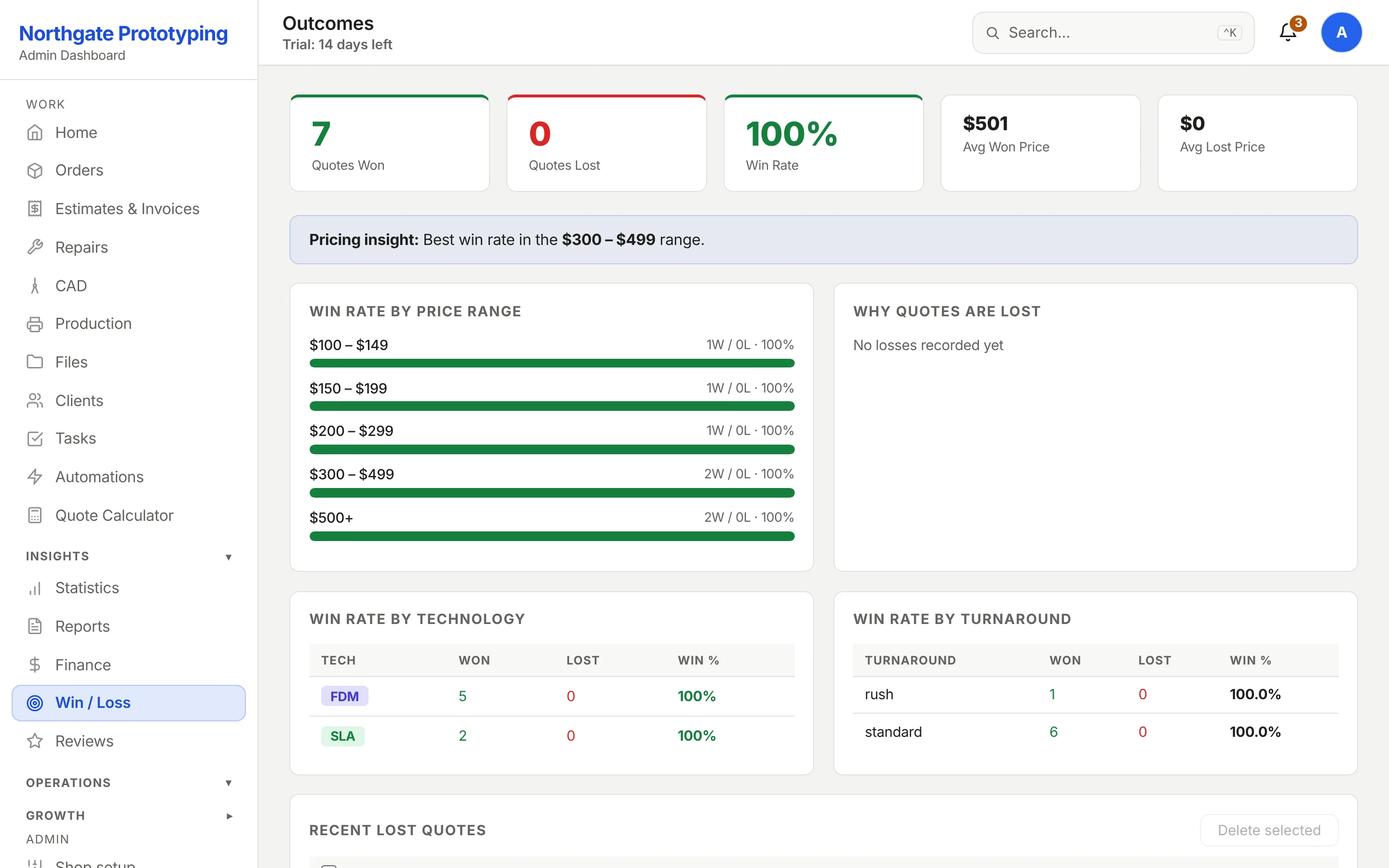
Every quote outcome is recorded with its price band. The Win/Loss page shows your win rate by price range, your average won and lost price, and the reasons customers gave when they walked, so the next rate change is a decision rather than a guess.
Win rate by price range, with counts behind every percentage
Average won price against average lost price
Loss reasons captured at decline time, in your own words
CloseThe Win/Loss page: eight quotes won, zero lost, a 100% win rate, a $453 average won price, and a win rate by price range table with a pricing insight naming the strongest range.
Price the next part both ways.
Founding Shops get Professional at CA$119.20 a month for their first year. Enter your roll prices and machine rates, upload a part you have quoted before, and compare.