Help › Getting paid
Estimates & Invoices
One page for every estimate you sent and every invoice still owed, with due dates and reminders.
Pictures taken from Layers3D 2026.13.94 on Oct 7, 2026
Estimates & Invoices in the left menu shows every quote you sent and every bill not yet paid. Switch sides with Estimates and Invoices at the top.
Estimates
The top band counts this month: sent, opened, accepted, your win rate, and money waiting on an answer. Each row shows the customer, the Q- number, where it is (Draft, Sent, Viewed, Accepted, Expired, Declined) and what happened, like "Opened ×3". Click Needs a nudge to see estimates that have sat quiet for 3 days.
Each row has one main button, like Send, Follow up or Mark accepted. More choices are under ⋯.
Invoices
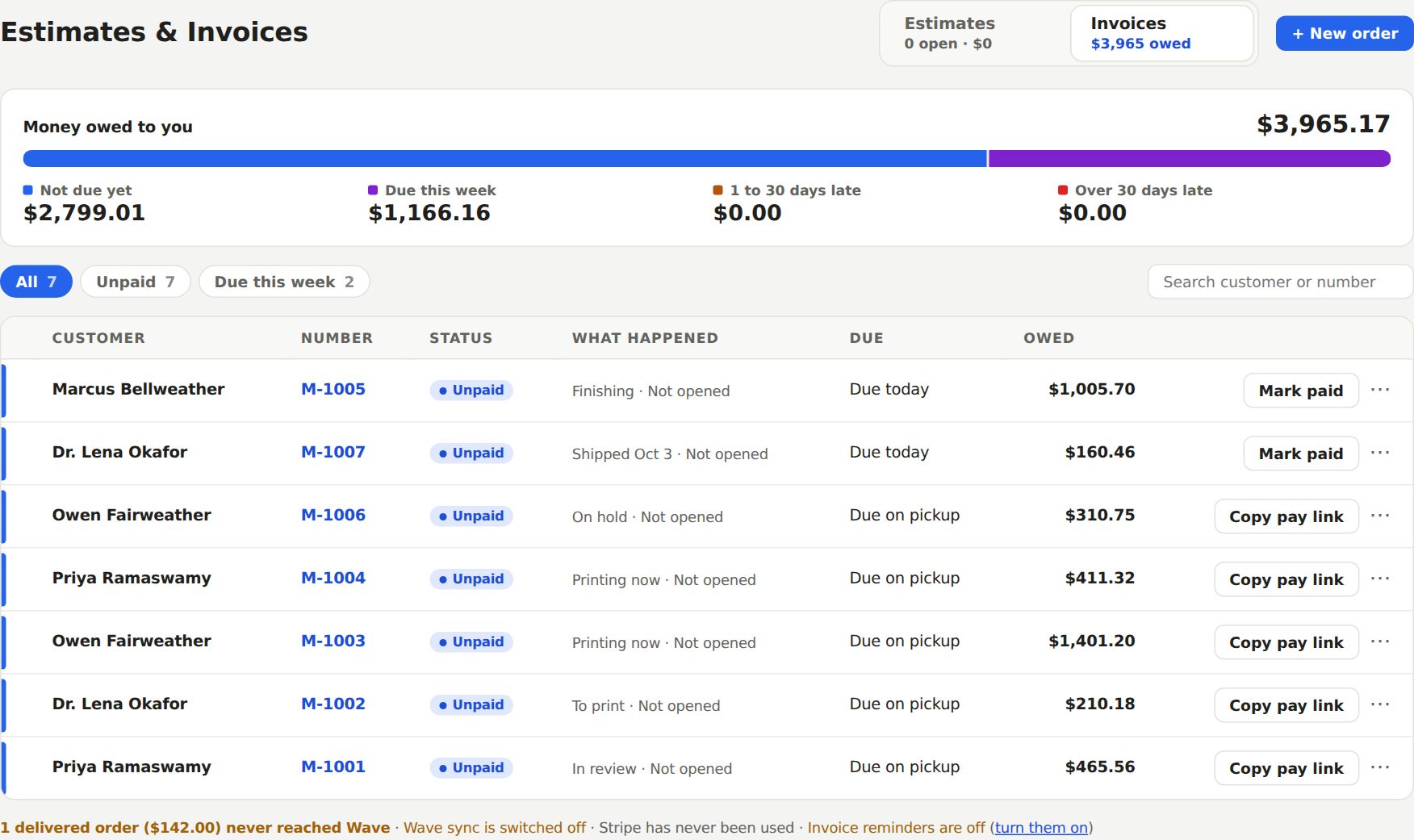
The top shows Money owed to you, split into Not due yet, Due this week, 1 to 30 days late and Over 30 days late. Click a slice to see just those.
An invoice gets its due date when the job is picked up or delivered, not before. Until then the row says "Due on pickup" or "Due on delivery". Net 30 and Net 60 count from that day too. Each row offers Copy pay link or Mark paid.
Automatic reminders
Turn them on in Settings › Communication › Customer emails. Tick Send invoice-due reminders. The customer then gets a heads-up 3 days before the due date, a nudge the day after, and a firm note 7 days late. After that it stops and makes a call task for you.
Still stuck? Inside Layers3D, open Help and choose Message us. A person answers.