Help › Your customers
What your customer emails look like
The quote, invoice, shipped and delivered emails: what each one says, and when it goes.
Pictures taken from Layers3D 2026.16.04 on Oct 19, 2026
Your quote, invoice, shipped and delivered emails share one look: your name and colour at the top, a short title, each part with its picture, and one button.
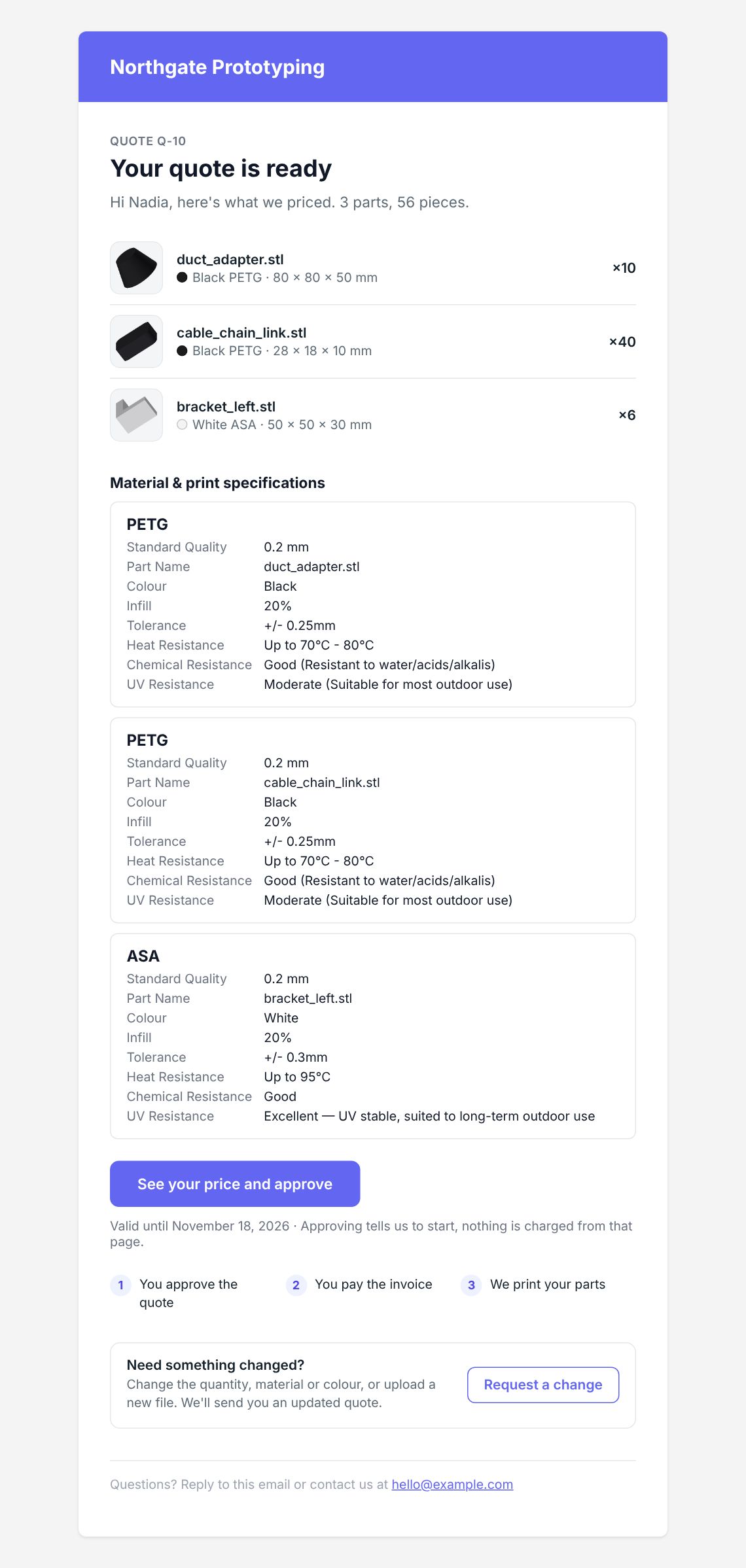
Your quote is ready
Goes when you click Send quote. Each part shows its colour, material, size and quantity. There's no price in the email: See your price and approve opens their quote page.
The three steps under the button follow Settings › Getting paid › When they pay. If you bill when they approve, they read that they pay before you print.
Design notes on the quote? A yellow box asks them to read them first. At the bottom, Request a change opens the change form. See When a customer asks for a change.
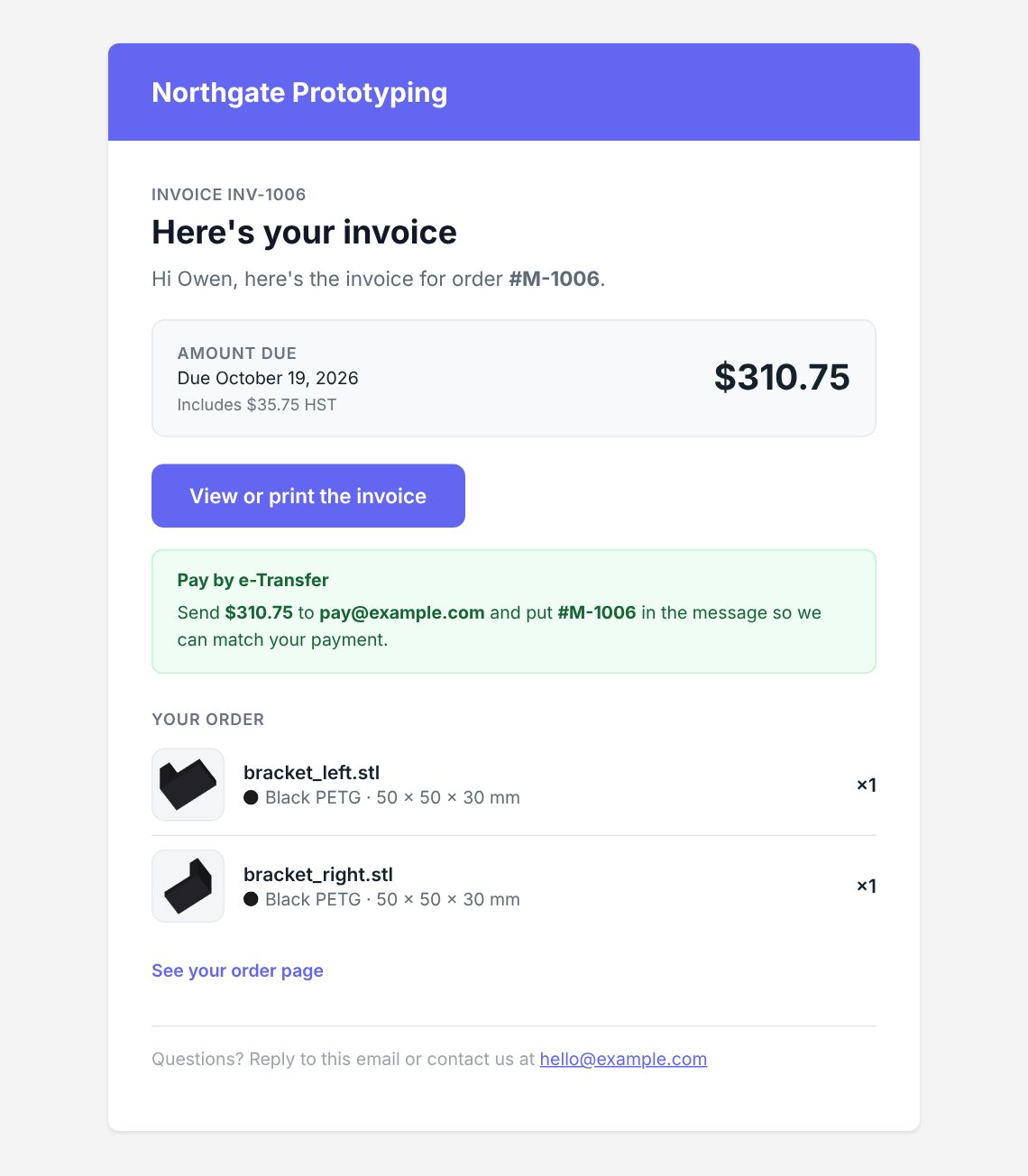
Here's your invoice
Goes when you send the invoice, or by itself when they approve if you bill on approval. It shows the amount due, the due date and the tax, with View or print the invoice. Paying by e-Transfer? It says where to send it and what to put in the message.
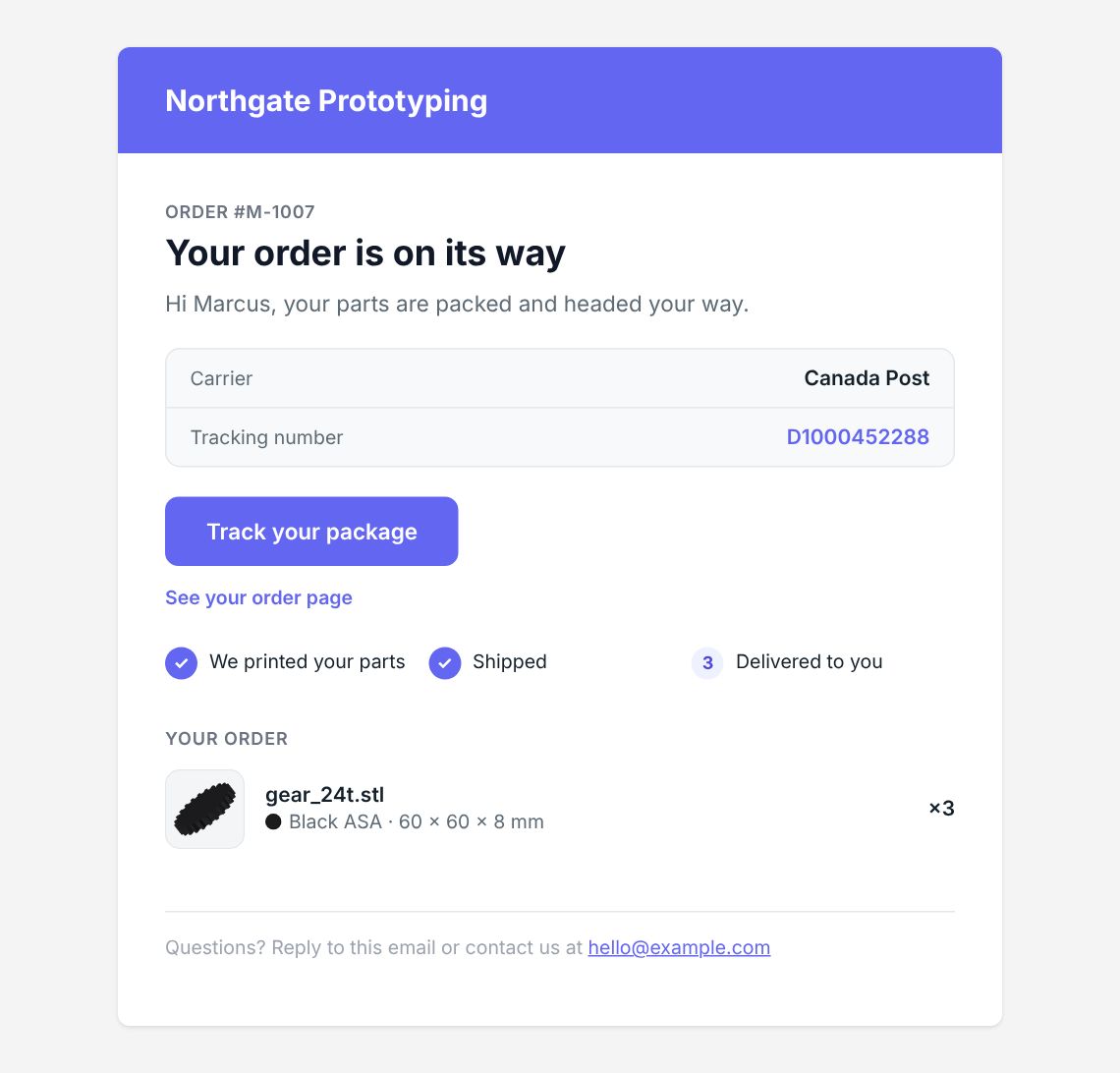
Your order is on its way
Goes when you mark a box shipped. The carrier and tracking number, the day it should arrive when the carrier says, and Track your package.
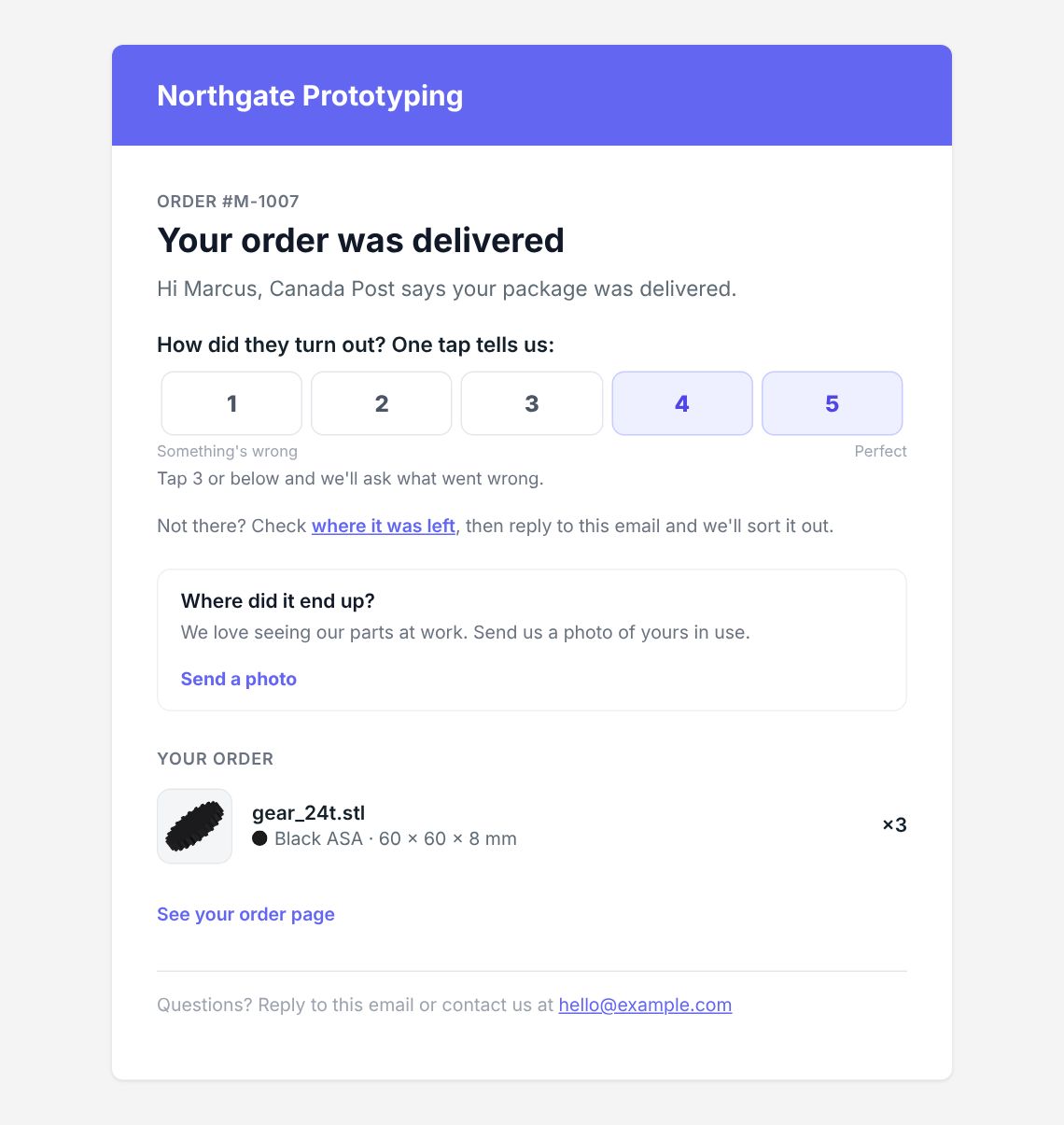
Delivered
Goes when the carrier says it arrived. They rate the job 1 to 5 with one tap, and 3 or less asks what went wrong. Turn it off in Settings › Customer emails › Sent on their own › Delivered.
Still stuck? Inside Layers3D, open Help and choose Message us. A person answers.