Help › Getting paid
When a customer asks for a change
Customers ask for another quantity, material, colour or file right from their quote. You see each change on the order and apply it in one go.
Pictures taken from Layers3D 2026.16.04 on Oct 19, 2026
Customers don't need to reply to an email to change a quote. They ask from the quote itself, and it lands on the order, part by part.
Where they ask
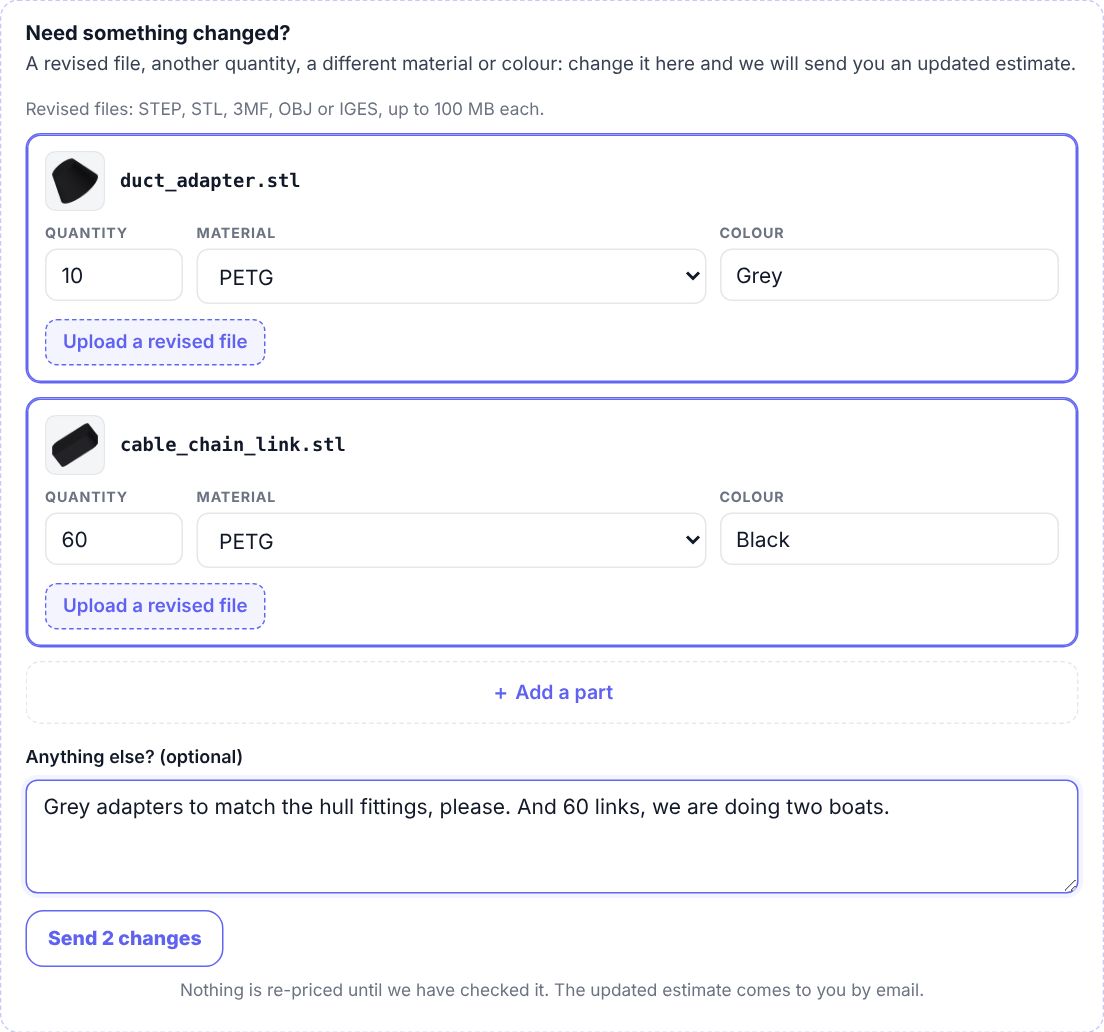
The Your quote is ready email ends with a Need something changed? box. Request a change opens their quote page with the change form already open. The quote page has the same link under Approve this estimate.

What they can change
- The quantity, material or colour of any part.
- The file, with Upload a revised file.
- A whole new part, with + Add a part.
- Anything else, in a note.
Then they click the button under it, like Send 2 changes. Nothing is re-priced yet. The page tells them you'll send an updated quote.
What you see
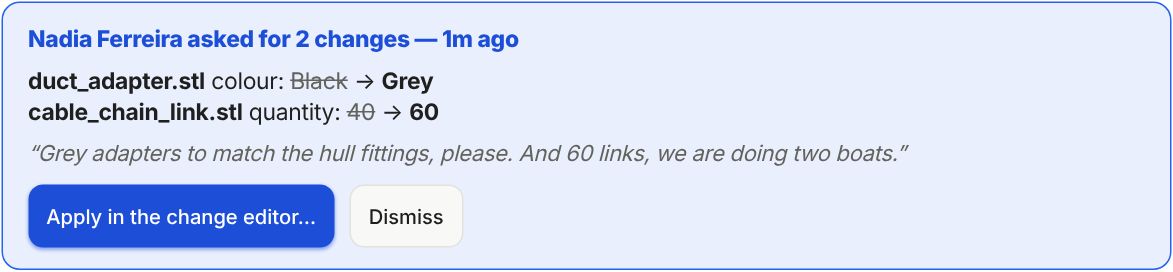
You get an email, Change requested on the estimate, with each change as was and now. On the order, a blue box at the top lists every change with the old value crossed out, and their note.
Apply it
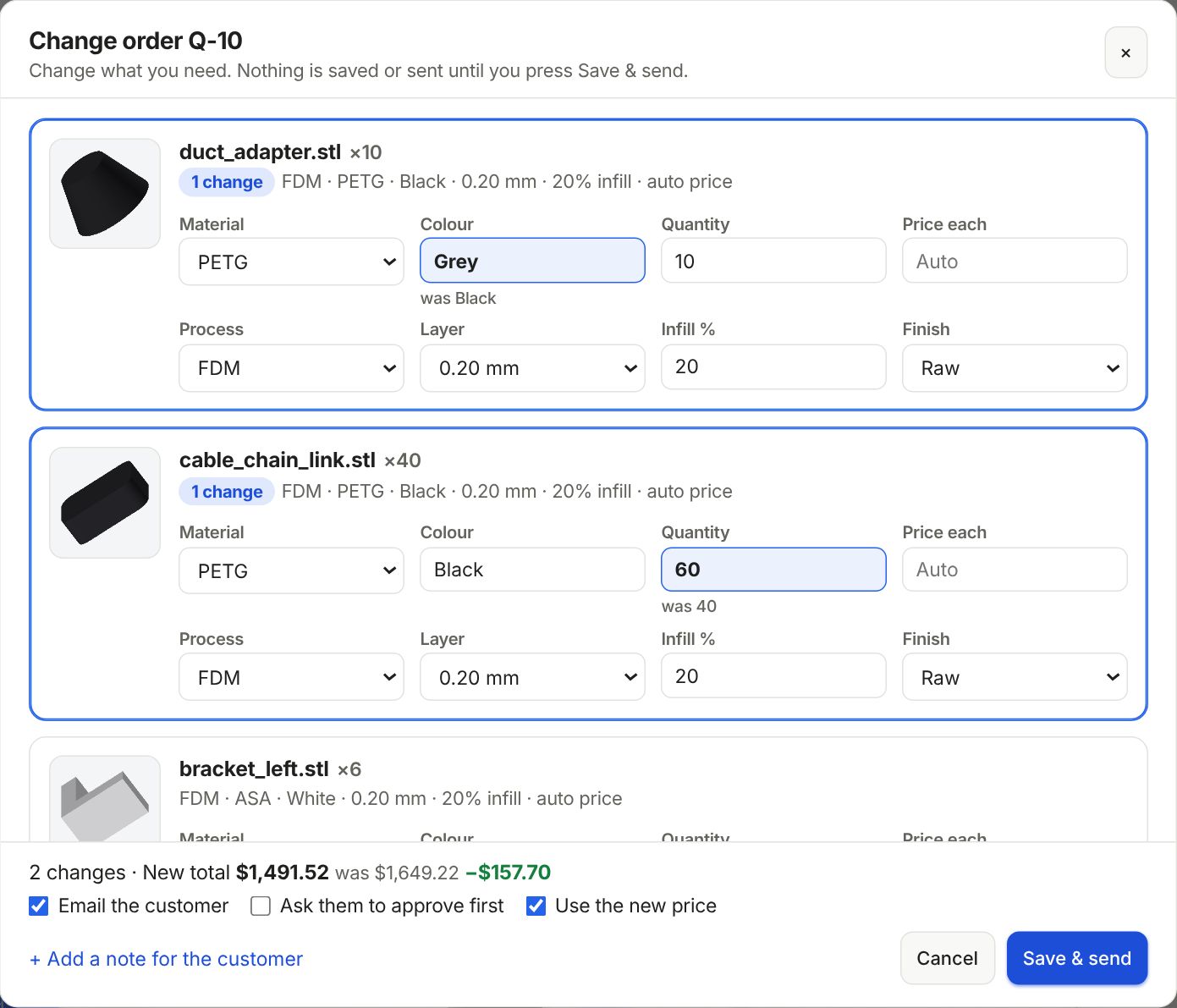
- Click Apply in the change editor…. Every change is already filled in, with was under the old value.
- Check the prices. The bottom line shows the new total and the difference.
- Leave Email the customer ticked. Ask them to approve first is ticked when the total goes up. Click Save & send.
A new file has its own buttons in the box: Open to look at it, and Use this file to put it on its part. A new part shows in the parts list with Add it to the order.
Once the order matches every change, the box goes away by itself. Not making the change? Click Dismiss.
Still stuck? Inside Layers3D, open Help and choose Message us. A person answers.