Help › Orders
What goes in the box
Right after a customer approves, ask what they need in or on the box. Their answers show when you pack.
Pictures taken from Layers3D 2026.16.09 on Oct 20, 2026
Some customers need a PO number on the slip, their part numbers on each bag, or a certificate in the box. Ask once, and it is on the order when you pack.
Set it up
- Go to Shop setup › Finishing and packing. The What goes in the box card is at the top.
- Change the heading they see, and the questions. Tick is a tick box. Tick + they type lets them add words, like their part numbers.
- Use the arrows to reorder, ✕ to remove and + Add a question to add one. Use the starter list puts the first seven back.
- Tick Ask after they approve and press Save.
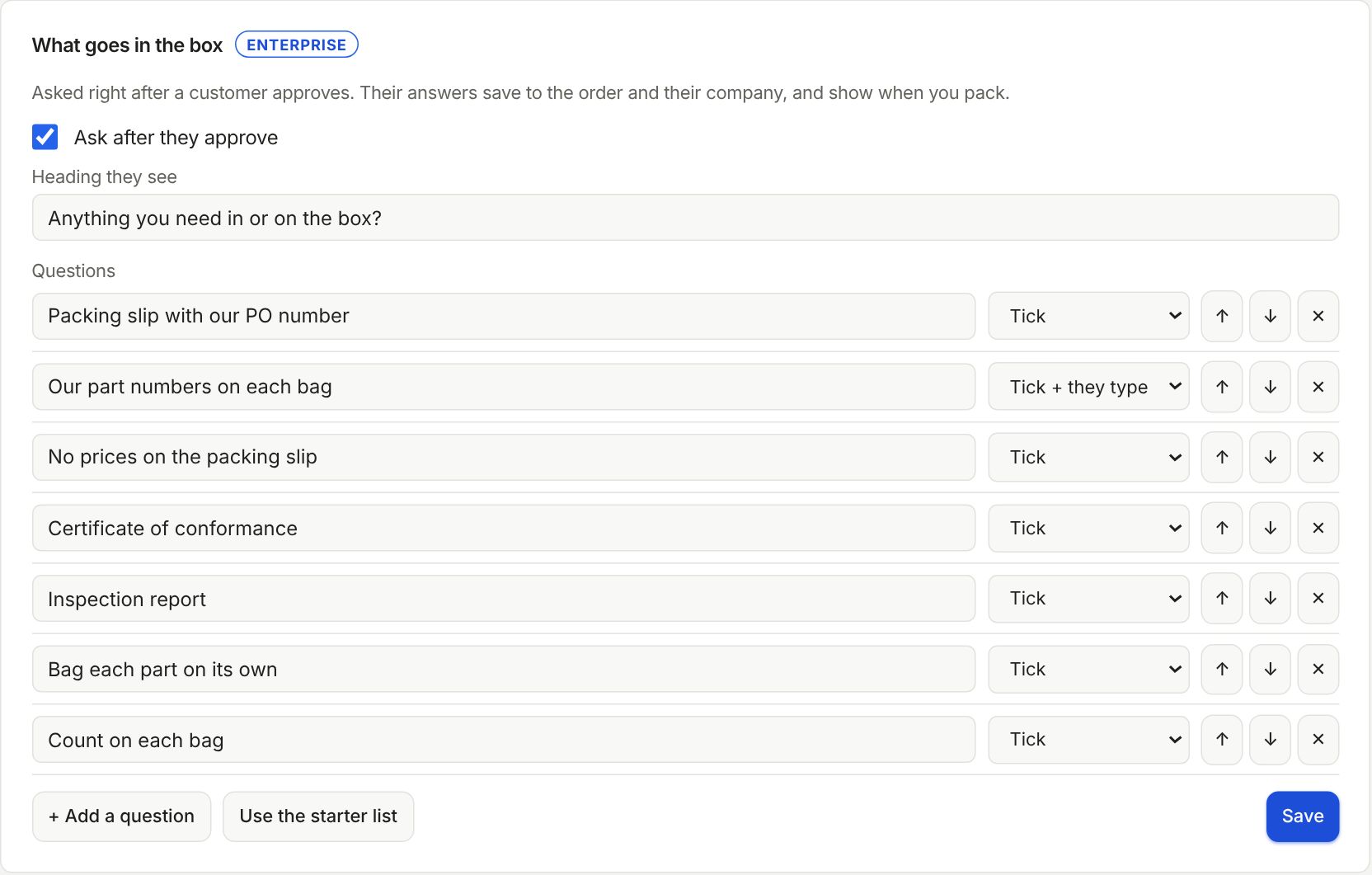
It is on the Enterprise plan. On another plan you can set the questions up now and switch it on after you upgrade.
What the customer does
After they press Approve, they see your questions. They tick what they need, add a note, and can keep it for every order from their company. Nothing special? They skip it.
On the order and when you pack
Their answers show as In the box on the order's Overview. Press Edit to change them, or + What goes in the box to add them yourself.
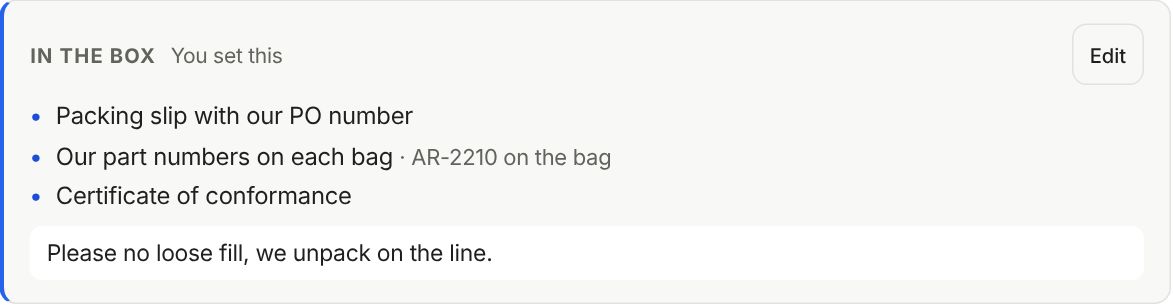
When you pack, the same list is in the Pack box window. Seal box waits until each one is ticked.
Still stuck? Inside Layers3D, open Help and choose Message us. A person answers.