Help › Start here
Add your team
Invite the people who work with you, each with a role that decides what they can see and change.
Pictures taken from Layers3D 2026.16.74 on Nov 1, 2026
Everyone gets their own sign-in, so you can see who did what on an order.
- Go to Settings › Team & security and press Add User.
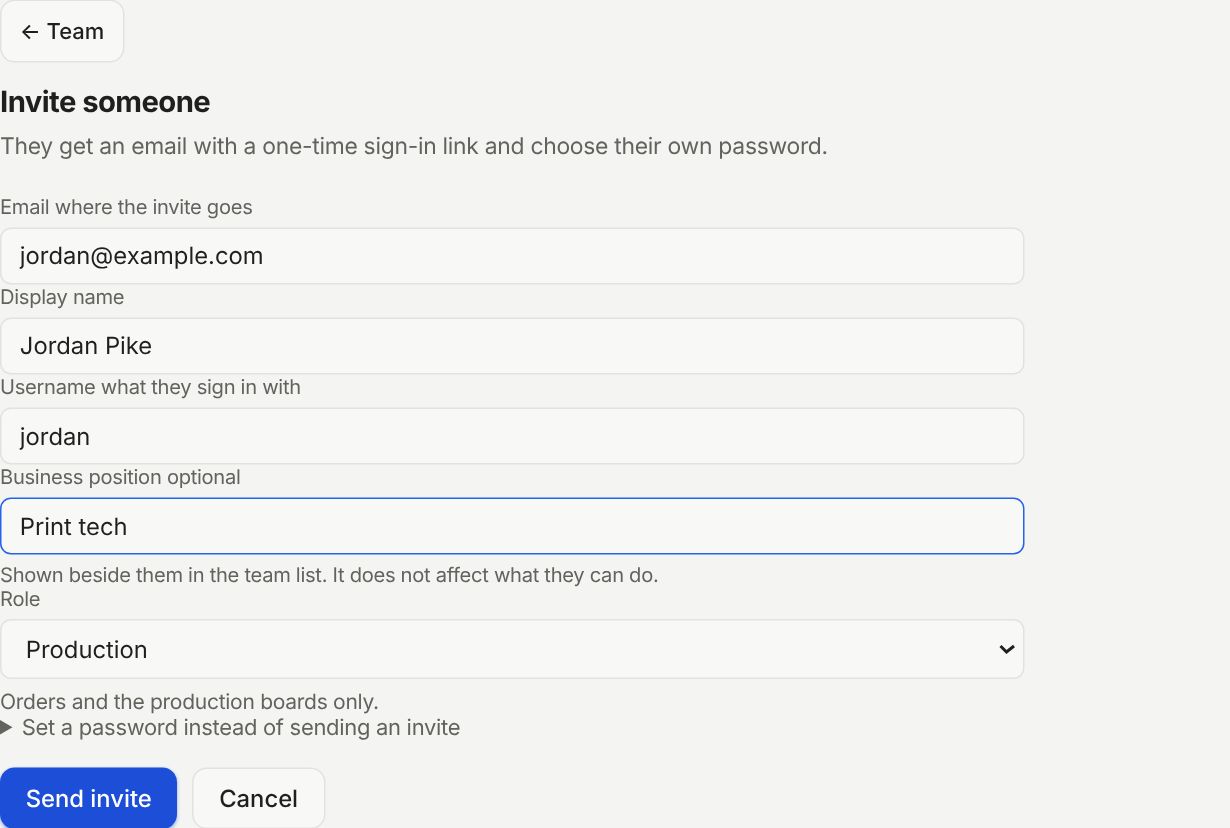
- Type their Email, a Display name and a Username they sign in with.
- Pick a Role. The line under it says what that role can do.
- Press Send invite. They get an email with a one-time sign-in link and choose their own password.
Which role
- Owner: everything, including billing and removing people. Admin: everything except owning the account.
- Manager: orders, leads, pricing and money. Not users or settings.
- Production: orders and the production boards only. Good for whoever runs the printers.
- Sales: leads and customers only. Finance: money and billing only.
- Operator: orders and leads, without changing prices or settings. Viewer: can look, can't change anything.
Business position is just a label beside their name, like Print tech. It does not change what they can do.
No email for them? Open Set a password instead of sending an invite and give them the password yourself.
Still stuck? Inside Layers3D, open Help and choose Message us. A person answers.