Help › Orders
Find anything, and order it again
Search every order, part, customer and setting from one box, and turn a repeat customer's PO into a new order in a minute.
Pictures taken from Layers3D 2026.16.74 on Nov 1, 2026
Search everything
Press Ctrl+K (⌘K on a Mac), or click Search at the top. Type an order number, a customer, a file name, a material or a colour.
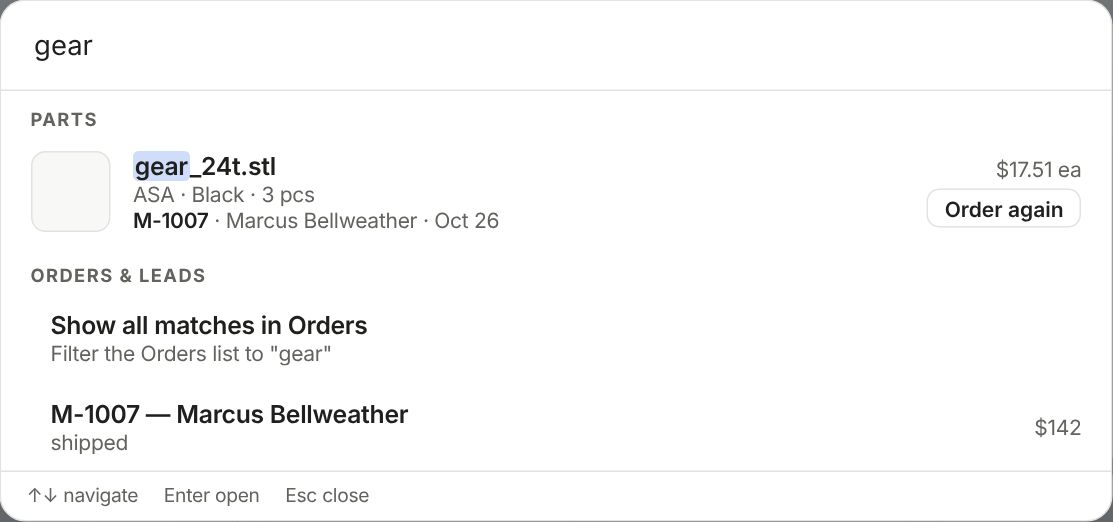
Parts you made before show with their order, customer, price and a picture. Use the arrow keys and Enter to open one, or Esc to close. It finds settings too.
Order again
A customer sends a PO for parts they bought before? Press Order again on the part in search, or open the old order and pick Order again… from its ⋯ menu. It works on orders that are shipped or done.
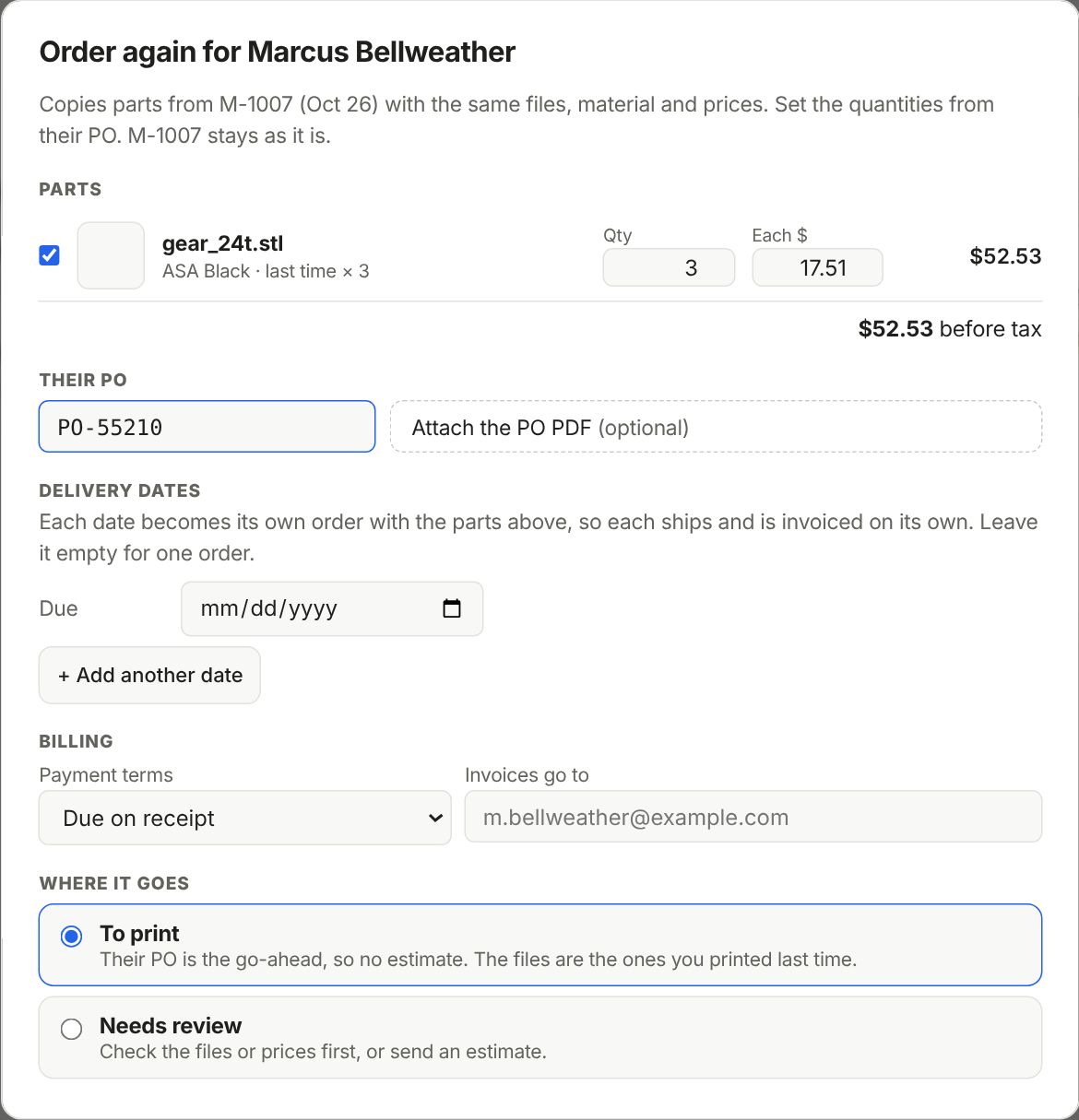
- Tick the parts and set the Qty from their PO. The price each starts at what they paid last time.
- Type their PO number and attach the PO if you have it.
- More than one delivery date? + Add another date makes one order per date, each shipped and invoiced on its own.
- To print skips the estimate, since their PO is the go-ahead. Needs review lets you check files and prices or send an estimate first.
- Press Create order. The old order stays as it was.
Still stuck? Inside Layers3D, open Help and choose Message us. A person answers.