Help › Shop floor
Phone alerts from your printers
Get a ping when a print is done or fails, and clear the plate from your phone so the next job starts.
Pictures taken from Layers3D 2026.16.74 on Nov 1, 2026
Layers3D can ping your phone when a print finishes, fails, runs low on filament or needs you. It works with the Bambu Handy app off.
Set it up
Go to Settings › Alerts to you › Phone pings and open Send phone notifications. Pick how they reach you under Send through:
- This app: open Layers3D on your phone and press Turn on for this device. On an iPhone, add it to your Home Screen first (Share › Add to Home Screen) and open it from there.
- ntfy: install the free ntfy app. Press Generate a private topic, then Save. In the ntfy app, tap +, paste the topic and subscribe.
- Pushover: paste your user key and an app token from pushover.net, then Save.
Press Send a test. Your phone should buzz within a few seconds.
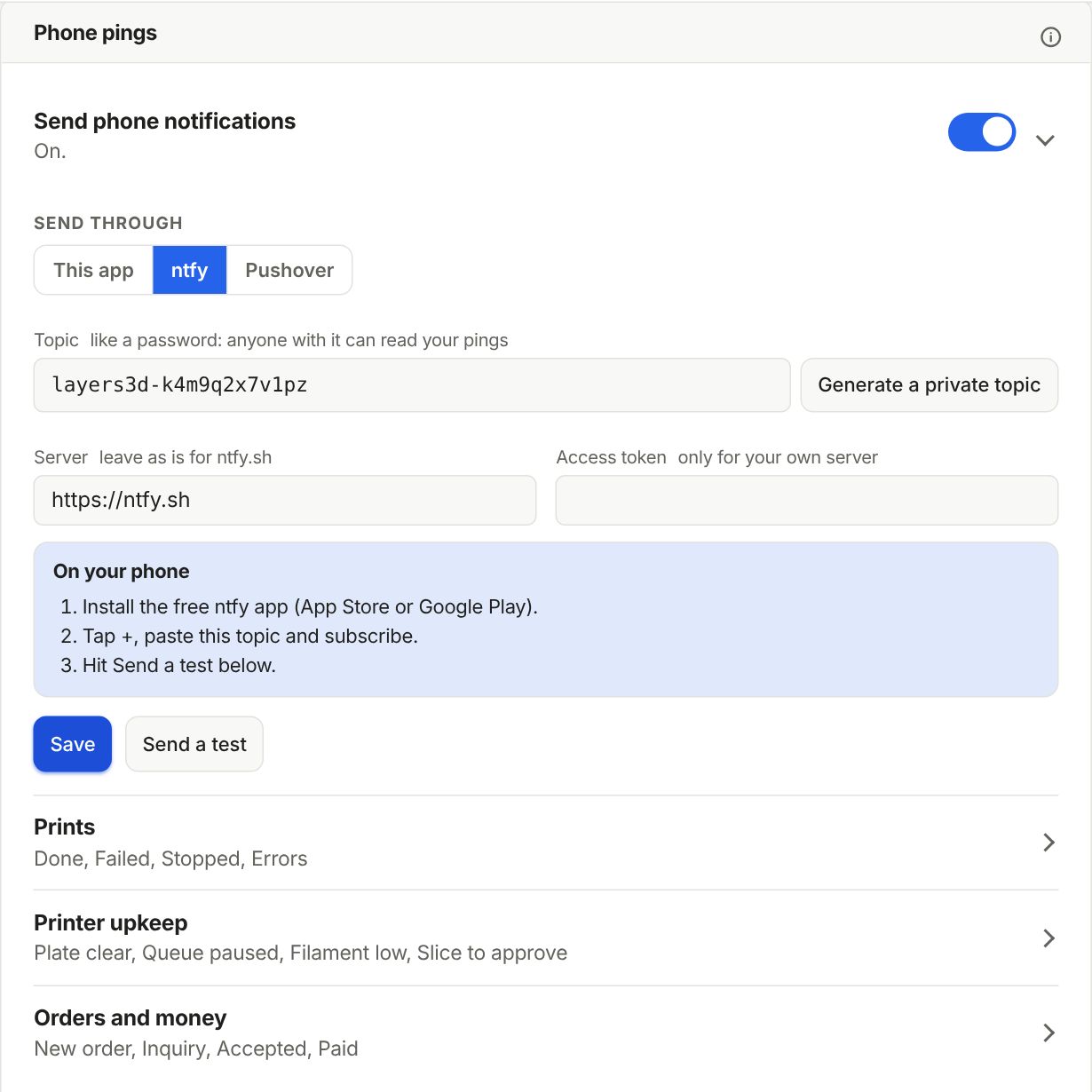
Pick what pings you
Three rows hold the switches. Prints: started, done, failed, stopped and printer errors. Printer upkeep: plate needs clearing, queue paused, filament low and a slice to approve. Orders and money: new orders, inquiries, accepted quotes and payments. Press Edit on one to change its words.
Clear the plate from your phone
When a print from the queue is done, on a printer that takes queue jobs, its ping has two buttons: Plate is clear and Not yet. Plate is clear opens this screen, with a fresh picture from the camera:
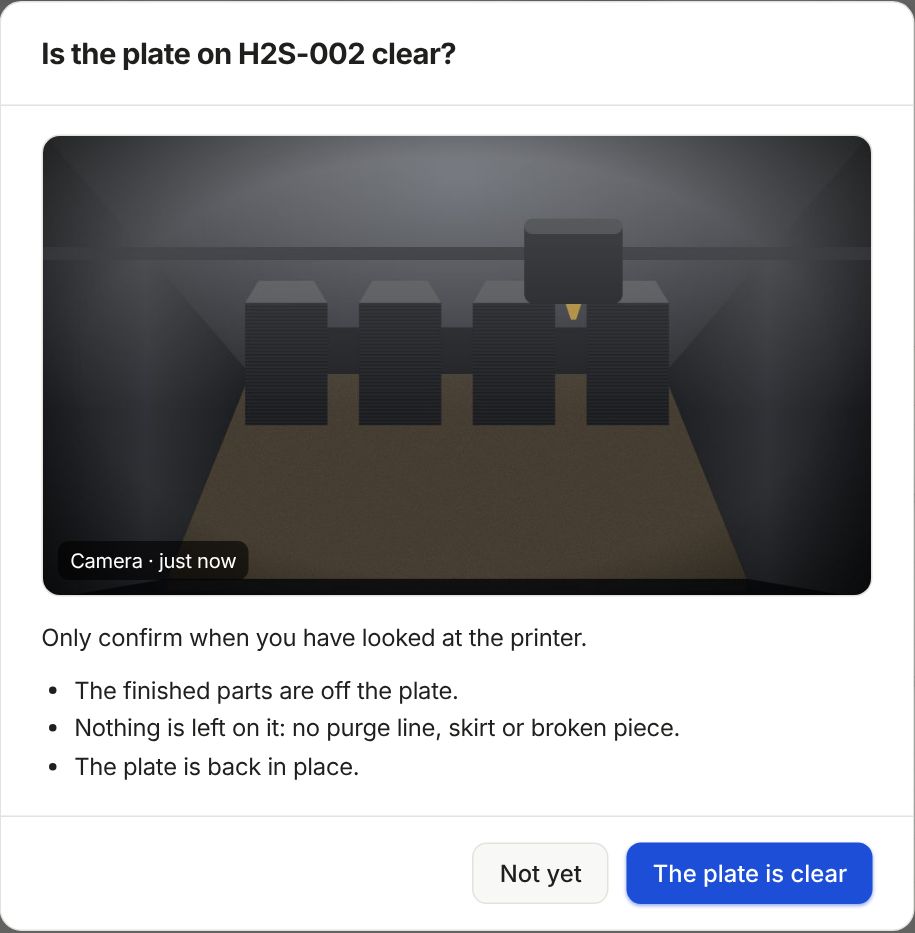
Look at the printer first. When the parts are off and the plate is back, press The plate is clear. If Send live is on and a job is waiting, the button says Plate is clear · start next and the next plate starts.
A failed print gets Clear and check and Needs repair instead. Clear and check asks for three ticks: the plate is clear, the nozzle is clean and no error is left on the screen. Then Ready for jobs.
Let the camera help
On the Professional and Enterprise plans, Shop setup › Machines › Camera plate check can say when a plate looks clear, and look at the plate once more right before the queue starts a job by itself. If it sees something there twice, the job waits and your phone is told.
Still stuck? Inside Layers3D, open Help and choose Message us. A person answers.